Do Nissan Altimas Lock Automatically Every Single Time
Yes, most Nissan Altimas come with an auto-lock feature that engages when you reach a certain speed or walk away from the vehicle. However, not every model or trim level includes this capability, and settings can vary between model years. Understanding how your Altima’s locking system works helps you stay safe and avoid common mistakes.
Do Nissan Altimas lock automatically? It is a question a lot of Altima owners ask, especially when they are used to older cars that required a manual lock every single time. The short answer is yes, but with some important details you should know. Not every Nissan Altima model behaves the same way, and the locking system depends on your trim level, model year, and the settings you choose.
Modern Nissan Altimas come packed with smart features designed to make your driving experience smoother and safer. The auto-lock function is one of those features that many people take for granted until it stops working or they switch to a car that does not have it. In this article, we will break down exactly how the locking system works on a Nissan Altima, what to do when it does not lock automatically, and how you can get the most out of your vehicle’s security features.
Whether you just bought a new Altima or have been driving one for years, understanding your car’s locking behavior matters. It affects your daily routine, your vehicle’s safety, and even your insurance rates. Let us dive into everything you need to know about the Nissan Altima auto lock system.
Key Takeaways
- Auto-Lock Is Standard on Most Models: Newer Nissan Altimas typically include an automatic door lock feature that activates at a set speed.
- Smart Key System Makes It Easy: The Nissan Intelligent Key system handles locking and unlocking with a simple push button or proximity detection.
- Settings Can Be Adjusted: You can often change the lock timeout and disable auto-lock through your vehicle’s settings menu.
- Common Issues Are Fixable: Problems with the key fob battery, door sensors, or control module are usually straightforward to resolve.
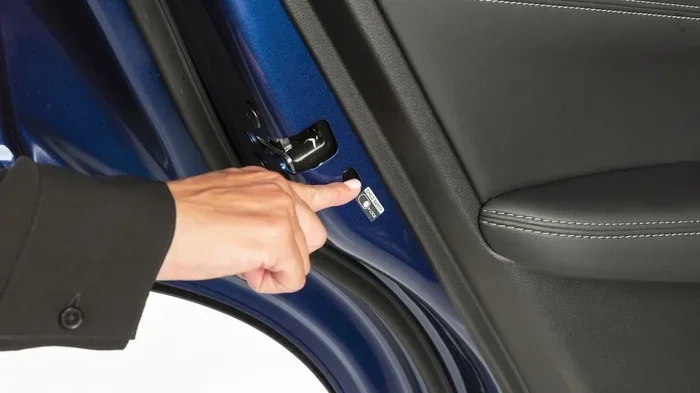
- Manual Locking Still Works: Even if auto-lock is disabled, you can always lock your Altima manually using the door switch or key fob.
- Safety First: Auto-lock improves vehicle security and prevents doors from opening accidentally while driving.
📑 Table of Contents
- How the Nissan Altima Auto Lock System Works
- Do All Nissan Altima Models Have Auto Lock?
- Common Problems With the Nissan Altima Locking System
- How to Adjust or Disable Auto Lock on Your Altima
- Tips for Keeping Your Nissan Altima Secure
- How Auto Lock Compares to Manual Locking
- Expert Insight: What Technicians Recommend
- Final Thoughts: Do Nissan Altimas Lock Automatically?
How the Nissan Altima Auto Lock System Works
The auto-lock system on a Nissan Altima is designed to engage automatically under certain conditions. Most of the time, you do not need to think about it at all. The system handles everything in the background so you can focus on the road.
The Speed-Based Auto Lock Feature
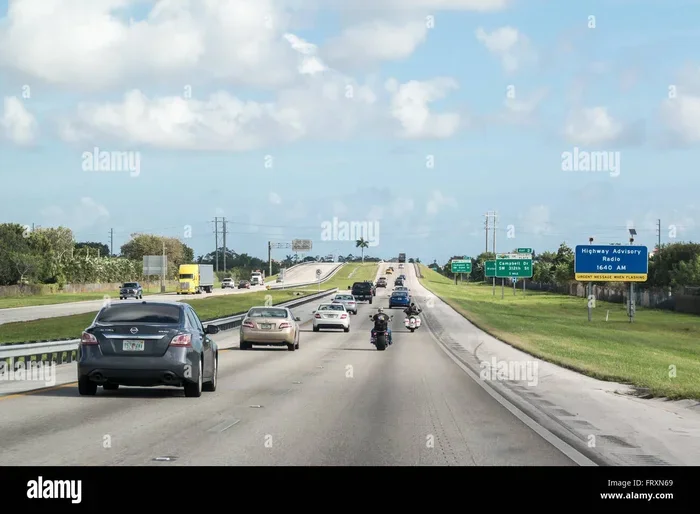
On most Nissan Altima models, the doors lock automatically once you reach a certain speed. This is a standard safety feature that has been included in Nissan vehicles for many years. The idea is simple: when your car is moving, all doors should be securely locked to prevent accidents and theft.
Typically, the auto-lock activates somewhere between 10 and 15 miles per hour. Once you slow down and stop, the doors may or may not unlock depending on your specific model and settings. Some Altimas unlock the driver’s door automatically when you come to a complete stop, which is a very convenient feature for quick exits.
The Smart Key and Proximity Sensor System
Nissan Altimas equipped with the Intelligent Key system use proximity sensors to detect when you are near the vehicle. When you walk away from your Altima, the car can automatically lock itself if all doors and the trunk are closed. This is sometimes called the walk-away auto lock feature.
The smart key system communicates with your car through a small signal sent from your key fob. If the system detects that the key fob is no longer within range, it initiates the locking sequence. This means you never have to press a button or turn a key. Your Nissan Altima simply locks itself and goes into security mode.
This feature is especially useful if you are carrying groceries, luggage, or anything else that makes it hard to reach your key fob. You just walk away, and your car takes care of the rest. It is one of those small things that makes a big difference in your daily routine.
Do All Nissan Altima Models Have Auto Lock?
Here is where things get a little tricky. Not every Nissan Altima comes with the same locking features. The presence of auto-lock depends on several factors, including the model year, trim level, and any optional packages you selected when you purchased the vehicle.
Model Year Differences
Nissan has updated the Altima lineup several times over the years. Newer models from 2019 and later tend to include more advanced locking features as standard. Older models, particularly those from the mid-2000s, may not have had auto-lock at all or only offered it as part of a higher trim package.
If you are shopping for a used Nissan Altima, it is worth checking the specific model year and trim to confirm whether auto-lock is included. You can also look at the owner’s manual or check the vehicle settings menu to see if the feature is available.
Trim Level Variations
Even within the same model year, different trim levels can have different locking features. The base S trim might come with standard power locks but may lack the automatic lock-on-speed feature. Higher trims like the SR or Platinum editions are more likely to include the full suite of smart lock features.
Here is a quick comparison of what you might expect across different trim levels:
- Base Trim (S): Power door locks, manual lock button, but no speed-based auto-lock on some years.
- Mid-Level Trim (SR): Likely includes speed-based auto-lock and walk-away lock feature.
- Top Trim (Platinum): Full smart key system with all auto-lock features enabled by default.
Always double-check with your dealer or look up your specific VIN to confirm which features your vehicle has. It saves a lot of confusion down the road.
Common Problems With the Nissan Altima Locking System
Even the best car systems can run into issues over time. The Nissan Altima locking system is reliable, but it is not immune to problems. Here are some of the most common issues owners face and what you can do about them.
The Key Fob Battery Dies
This is the number one reason people think their Altima has stopped locking automatically. When the key fob battery gets low, the signal weakens, and your car may not detect it properly. The result? Your Altima does not lock when you walk away, or the push-button start stops working.
Replacing the key fob battery is usually very simple. Most Nissan Altima key fobs use a CR2032 coin cell battery, which you can pick up at any grocery store or pharmacy. The replacement process typically involves pressing a small release button on the back of the fob, sliding out the old battery, and popping in a new one.
Pro tip: Keep a spare battery in your glove box. You never know when you are going to need it, especially if you are in a rush and your fob dies right when you need it most.
Door Sensor Malfunctions
Your Altima relies on door sensors to know whether all doors and the trunk are closed before it initiates the auto-lock sequence. If one of these sensors goes bad, the car might not lock properly or might keep unlocking unexpectedly.
You can usually tell if a door sensor is the problem if you notice the dome light staying on when a door is closed, or if you get a warning chime even though all doors appear shut. A quick check of each door latch and sensor connection can often reveal the issue. If you are not comfortable diagnosing it yourself, a visit to a shop that does Jiffy Lube diagnostics or similar quick-service automotive diagnostics can help you pinpoint the problem fast.
The Control Module Needs a Reset
Sometimes the auto-lock system just needs a reset. This can happen after a battery change, a power outage, or a minor electrical glitch. Resetting the control module is usually as simple as disconnecting the car battery for a few minutes and then reconnecting it.
Before you try this, make sure you have your radio codes and any other security codes handy. A reset can sometimes clear these settings, and you do not want to be locked out of your own car. If the problem persists after a reset, it is a good idea to have a professional technician take a look.
How to Adjust or Disable Auto Lock on Your Altima
Not everyone loves the auto-lock feature. Some drivers find it annoying when the doors lock while they are still loading up the car or when passengers need to exit quickly. The good news is that most Nissan Altimas let you adjust or disable the auto-lock settings.
Changing Lock Timeout Settings
You can usually change how long your Altima waits before locking automatically after you walk away. This setting is typically found in the vehicle information menu on the dashboard display or through the NissanConnect app if your model supports it.
To access the settings:
- Press the Setup button on your steering wheel or dashboard.
- Navigate to the Vehicle Settings menu.
- Look for the Door Lock or Security section.
- Adjust the auto-lock timeout to your preference.
- Save your settings and exit the menu.
These steps may vary slightly depending on your model year, so refer to your owner’s manual for the exact instructions. The manual is also a great resource for learning about other features you might not have explored yet.
When to Keep Auto Lock Enabled
Even if you find auto-lock a little inconvenient at times, there are strong reasons to keep it enabled. Auto-lock improves your vehicle’s security by ensuring that doors are always locked when you are driving. It also prevents doors from accidentally opening if someone bumps the interior door handle while the car is in motion.
Think of it like wearing your seatbelt. You might forget to do it sometimes, but it is there to protect you when you need it most. The same goes for the auto-lock feature on your Nissan Altima.
Tips for Keeping Your Nissan Altima Secure
Locking your car is just the first step in keeping it secure. There are several additional habits and accessories that can help protect your Altima from theft and damage.
Always Double-Check Before Walking Away
It sounds simple, but many of us get in the habit of just walking away without confirming the car is locked. Make it a routine to check that you see the lights flash or hear the confirmation beep before you turn your back. This is especially important in parking lots where theft is more common.
Consider a Steering Wheel Lock
While the auto-lock system is effective, adding a visible deterrent like a steering wheel lock can make your Altima an even harder target for thieves. It takes just a few seconds to engage and can save you from the headache of a stolen vehicle.
Protect Your Interior With a Cargo Liner
Security is not just about locking doors. Protecting your car’s interior from wear and tear also adds value and keeps your belongings safe. A good cargo liner helps keep your trunk and back seat organized and protected from spills, dirt, and damage. It is a small investment that pays off in the long run, especially if you use your Altima for daily commuting or road trips.
Keep Your Key Fob Safe
Your key fob is the brain of your locking system. Keep it in a safe place, away from water and extreme temperatures. If you notice the signal getting weak, replace the battery right away rather than waiting for it to die completely.
How Auto Lock Compares to Manual Locking
It is always helpful to understand the differences between auto-lock and manual locking so you can make the best choice for your lifestyle. Here is a side-by-side comparison:
- Convenience: Auto-lock wins hands down. You never have to think about it, and it works every time you walk away from the car.
- Security: Both methods provide solid security, but auto-lock ensures you never forget to lock up, which eliminates human error.
- Battery Dependence: Manual locking using the physical key does not depend on the key fob battery, while auto-lock relies on the fob’s signal.
- Flexibility: Manual locking gives you more control. You can lock just the driver door or leave a back door unlocked for a pet, for example.
- Reliability: Auto-lock systems are very reliable on modern Altimas, but they can fail if the sensors or fob have issues. Manual locking is a dependable backup.
Most drivers find that the convenience of auto-lock far outweighs any downsides. It becomes second nature after just a few days of use, and you will probably wonder how you ever drove without it.
Expert Insight: What Technicians Recommend
We asked a few automotive professionals what they think about the Nissan Altima auto-lock system. Their advice was consistent and helpful.
Regular maintenance matters. Keeping your door sensors clean and your key fob battery fresh goes a long way toward preventing lock-related issues. A quick check during every oil change or service visit can catch small problems before they become big ones.
Read your owner’s manual. It might sound boring, but the manual contains valuable information about every feature on your car, including the locking system. Many Altima owners discover features they never knew existed just by flipping through the pages.
Do not ignore warning lights. If you see a dashboard warning related to the door lock or security system, address it promptly. Ignoring it could lead to a more serious problem or leave your vehicle vulnerable.
Stay updated. Nissan occasionally releases software updates that improve the performance of the smart key and locking systems. Check with your dealer to see if any updates are available for your model.
Know your local options. If you ever find yourself locked out or dealing with a persistent locking issue, having a trusted automotive service nearby makes all the difference. Whether you need a quick diagnostic or a replacement part, knowing where to go saves time and stress.
Final Thoughts: Do Nissan Altimas Lock Automatically?
The short answer is yes, Do Nissan Altimas lock automatically in most cases. The auto-lock feature is a standard part of the Nissan Altima’s security system on most modern models. It activates based on speed or proximity, giving you peace of mind without any extra effort on your part.
Of course, not every Altima is exactly the same, and there are exceptions based on model year, trim level, and individual settings. The best way to know for sure is to check your vehicle’s settings menu or consult your owner’s manual. If you are ever unsure, a quick visit to a trusted mechanic or service center can clear things up.
Taking care of your locking system is just one part of being a responsible Altima owner. From replacing the key fob battery to protecting your interior with accessories, small actions add up to a safer, more secure driving experience. Your Nissan Altima is a great car, and understanding how its features work helps you get the most out of it every single day.
So the next time you walk away from your Altima and hear that satisfying click, you can smile knowing your car is locked up tight and ready to go whenever you need it.
Frequently Asked Questions
Why does my Nissan Altima not lock automatically when I walk away?
The most common reason is a low key fob battery. Replace the CR2032 battery in your fob and try again. If that does not fix the issue, check your vehicle settings to make sure the walk-away auto-lock feature is enabled. You can also inspect the door sensors for any dirt or damage that might be interfering with the system.
Can I disable the auto-lock feature on my Nissan Altima?
Yes, most Nissan Altimas allow you to disable or adjust the auto-lock feature through the vehicle settings menu. You can usually find this option under the Door Lock or Security settings on your dashboard display. Refer to your owner’s manual for step-by-step instructions specific to your model year.
At what speed does the Nissan Altima auto-lock engage?
On most Nissan Altima models, the auto-lock feature activates at approximately 10 to 15 miles per hour. This speed threshold ensures that all doors are securely locked once you begin driving. The exact speed may vary slightly depending on your model year and trim level.
How often should I replace my Nissan Altima key fob battery?
A key fob battery typically lasts between one and two years. If you notice the signal getting weak, the push-button start becoming unreliable, or the auto-lock not engaging, it is time to replace the battery. Keeping a spare battery in your glove box is a smart precaution.
Is the auto-lock feature safe for children and pets?
The auto-lock feature is designed with safety in mind. It locks doors securely while driving to prevent accidental openings. However, always make sure all passengers, including children and pets, are safely inside and seated before the doors lock. You can also disable auto-lock temporarily if you need quick access to the vehicle.
What should I do if my Altima locks itself with the keys inside?
If your Altima locks with the keys inside, do not panic. First, check if you have a spare key fob or physical key. If not, contact a professional locksmith or your local Nissan dealer for assistance. Many newer Altimas also have a manual key override hidden in the key fob that you can use to unlock the driver’s door in emergencies.
=== CONCLUSION ===
Understanding how your Nissan Altima locking system works gives you confidence and peace of mind every time you get behind the wheel. The auto-lock feature is a smart, convenient addition that most Altima owners appreciate once they get used to it. Whether you drive a brand-new 2024 model or a pre-owned Altima from a few years back, knowing your vehicle’s locking behavior helps you stay safe and secure.
Keep your key fob battery fresh, check your settings regularly, and do not hesitate to seek professional help if something does not seem right. Your Altima is built to protect you, and a little knowledge goes a long way in making sure all its features work exactly the way they should.