Can You Add Navigation to a Car That Doesnt Have It
Yes, you can absolutely add navigation to a car that doesn’t have it. Whether you choose a dash-mounted GPS device, an aftermarket infotainment system, or a smartphone mount with navigation apps, there are plenty of options to fit every budget and vehicle type. This guide walks you through the best methods, costs, and tips to get you navigating with confidence.
Have you ever been driving through an unfamiliar area, squinting at a phone balanced on the dashboard, and thought, “There has to be a better way”? You’re not alone. Many car owners buy vehicles without built-in navigation systems and later wonder if they can add one. The good news is that adding navigation to a car is easier and more affordable than most people think.
Whether you drive an older model or a newer ride that came stripped of a GPS, there are solutions that work for you. From simple phone-based navigation to full aftermarket infotainment systems, the options are wide and varied. In this article, we’ll break down every method, cost, and consideration so you can make the best choice for your car and your budget.
Let’s be real for a second. Navigation isn’t just a luxury anymore. It’s a daily necessity for millions of drivers. Whether you’re commuting to a new job, planning a road trip, or just trying to find the nearest gas station, having reliable GPS guidance in your car makes life so much simpler. So let’s dive in and explore exactly how you can get navigation working in your vehicle.
Key Takeaways
- Multiple Options Available: You can add navigation using a dedicated GPS device, an aftermarket head unit, or a smartphone mount.
- Budget-Friendly to Premium: Costs range from under $50 for a basic phone mount to $500+ for a full infotainment upgrade.
- Smartphone Apps Are Easiest: Google Maps and Waze offer free, real-time navigation with minimal setup.
- Aftermarket Head Units Offer the Best Experience: They integrate seamlessly with your car’s dashboard and support Apple CarPlay and Android Auto.
- Professional Installation Is Optional: Many aftermarket systems are designed for DIY installation with basic tools.
- Consider Your Car’s Compatibility: Check your dashboard space, wiring, and existing audio system before choosing a solution.
📑 Table of Contents
- Why You Might Want Navigation in Your Car
- Types of Navigation Systems You Can Add
- How to Choose the Right Navigation Solution for Your Car
- Step-by-Step: Adding Navigation to Your Car
- Costs Breakdown: What to Expect
- Common Mistakes to Avoid When Adding Navigation
- Expert Tips for the Best Navigation Experience
- Final Thoughts
Why You Might Want Navigation in Your Car
Some people think navigation is only for road trips. That’s far from the truth. Even if you drive the same route every day, having a dedicated navigation system or a reliable app can save you time, fuel, and stress.
Better Route Planning
A good navigation system calculates the fastest route based on real-time traffic. It helps you avoid congestion, road closures, and construction zones. Over time, this adds up to significant savings in both time and fuel.
Safety Benefits
When you don’t have to guess where you’re going, you can focus on the road. Studies show that drivers who use GPS navigation are less likely to take wrong turns in dangerous areas or make sudden, unsafe maneuvers. A dedicated system keeps your eyes on the road and your hands on the wheel.
Increased Resale Value
Believe it or not, adding a quality infotainment system can boost your car’s resale value. Buyers love vehicles that feel modern and connected. A clean, integrated navigation setup looks much better than a dangling phone or a bulky suction-cup device.
Types of Navigation Systems You Can Add
Not all navigation solutions are created equal. Depending on your needs, budget, and vehicle type, one option will likely suit you better than the others. Here’s a breakdown of the most popular ways to add navigation to a car without it.
1. Smartphone Navigation Apps
This is the simplest and most affordable method. Apps like Google Maps, Waze, and Apple Maps offer turn-by-turn directions for free. All you need is a phone, a mount, and a data connection.
Pros:
- Very low cost or free
- Real-time traffic updates
- Frequent map updates
- Voice-guided directions
- Works in most vehicles instantly
Cons:
- Phone screen can be hard to see in direct sunlight
- Takes up phone storage and battery
- Less integrated look compared to built-in systems
- Dependent on cellular data
2. Portable GPS Devices
Devices like Garmin and TomTom have been around for years. They mount to your windshield or dashboard and provide standalone navigation without needing a phone. These units are great for older vehicles or anyone who doesn’t want to rely on a smartphone.
Pros:
- Dedicated screen designed for driving
- No phone dependency
- Long battery life (some models)
- Preloaded maps available
- Mounts easily with suction cup
Cons:
- Can look outdated
- Maps may need manual updates
- Less feature-rich than modern infotainment
- Bulky compared to phone solutions
3. Aftermarket Head Units
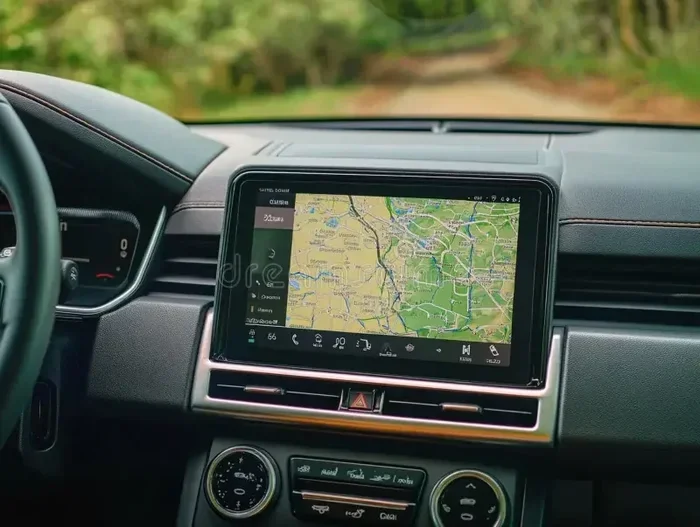
This is the most premium option. An aftermarket head unit replaces your car’s factory radio with a touchscreen infotainment system that includes navigation. Brands like Pioneer, Sony, and Kenwood offer units with Apple CarPlay and Android Auto support.
Pros:
- Seamless, integrated look
- Supports streaming, Bluetooth, and apps
- Larger, high-resolution screens
- Controls car functions like climate and audio
- Adds long-term value to your vehicle
Cons:
- Higher cost ($200 to $800+)
- May require professional installation
- Compatibility checks needed for your vehicle
- More complex setup than phone apps
4. Tablet or iPad Mounts
Some car owners mount a tablet on the dashboard or center console. This gives you a larger screen than a phone while still using familiar apps like Google Maps. It’s a middle-ground solution that works well for families and road trips.
Pros:
- Larger screen than a phone
- Familiar interface
- Can double as an entertainment device
- Relatively affordable
Cons:
- Not designed for driving environments
- Can be distracting if not secured properly
- May obstruct driver’s view
- Requires separate mounting hardware
How to Choose the Right Navigation Solution for Your Car
With so many options, how do you pick the right one? It helps to think about your specific situation. Consider these factors before making a decision.
Assess Your Vehicle’s Dashboard Space
Not every car has room for a large head unit. Older vehicles may have smaller dashboard openings that won’t fit a modern touchscreen. Measure your dashboard space before shopping. If your car has a standard double-DIN slot, you’ll have more options than if it uses a single-DIN or custom layout.
Think About Your Budget
Budget plays a big role in choosing the right solution. A basic phone mount and app setup costs almost nothing. A quality aftermarket head unit with navigation features can run anywhere from $200 to $800 installed. Set a realistic budget before you start shopping so you don’t get overwhelmed by choices.
Consider How Often You Need Navigation
If you only use navigation occasionally, a portable GPS device or a phone app might be all you need. But if you rely on navigation daily, investing in an aftermarket infotainment system will pay off in convenience and safety.
Check for Compatibility
Before buying any system, check that it’s compatible with your vehicle. Some head units require specific wiring harnesses or adapter kits. Many manufacturers list compatible car models on their websites. Taking ten minutes to verify compatibility can save you a lot of headaches later.
Screen Size and Visibility
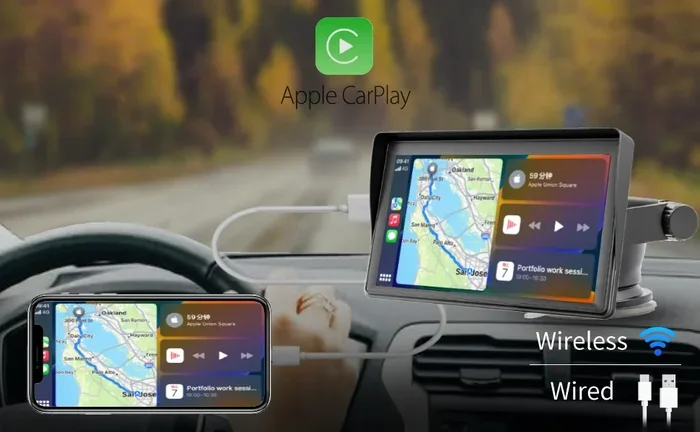
You want a screen that’s easy to read while driving. A 7-inch touch screen for car setups often provide the best balance of visibility and compact size. Make sure the screen doesn’t obstruct your view of the road or the windshield. Also consider whether the screen is glare-resistant, especially if you drive in bright, sunny conditions.
Step-by-Step: Adding Navigation to Your Car
Ready to get navigation in your car? Here’s a practical walkthrough of the most popular method: installing an aftermarket head unit.
Step 1: Gather Your Tools
You’ll need a few basic tools before you start. Most installations require a screwdriver set, a trim removal tool, and a wiring harness adapter. Some kits also come with a dash kit that ensures a clean, snug fit. Having everything ready before you begin makes the process much smoother.
Step 2: Remove the Factory Radio
Start by carefully removing the trim panels around your existing radio. Use a trim removal tool to avoid scratching the dashboard. Once the panels are off, unscrew the factory radio and gently pull it out. Disconnect the wiring harness and antenna cable behind it.
Step 3: Install the Wiring Harness Adapter
The wiring harness adapter connects your new head unit to your car’s existing wiring without cutting any wires. Plug the adapter into your car’s factory harness, then connect the other end to your new unit. This step is crucial for keeping your car’s electrical system safe and intact.
Step 4: Mount the New Head Unit
Slide the new head unit into the dash kit. Secure it with the screws you removed earlier. Make sure it sits flush with the dashboard and doesn’t wobble. Connect the antenna cable and any other accessories like a backup camera or external microphone.
Step 5: Set Up Navigation
Power on the new unit and follow the on-screen setup. Most systems will guide you through connecting to Wi-Fi, pairing your phone via Bluetooth, and downloading maps. Once setup is complete, test the navigation with a familiar route to make sure everything works correctly.
Step 6: Add Protective Accessories
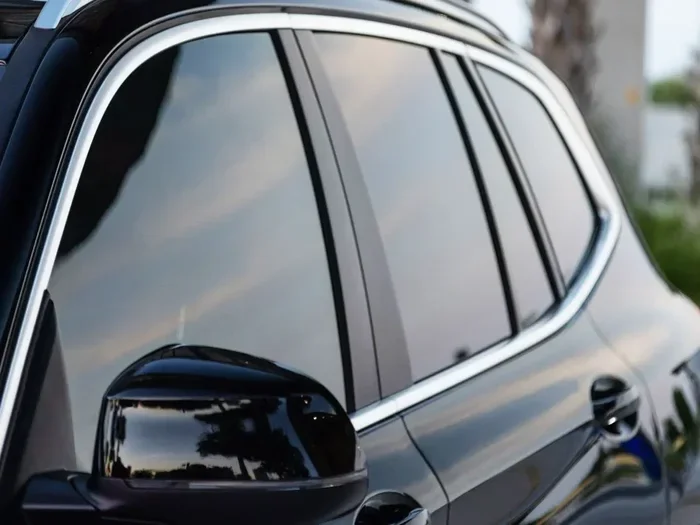
After installation, consider adding accessories that protect your new system. A 3M anti-glare film for car windshield can reduce screen glare and make navigation easier to read in bright conditions. A quality screen protector also keeps your new touchscreen safe from scratches and fingerprints.
Costs Breakdown: What to Expect
Understanding the costs helps you plan your budget and avoid surprises. Here’s a general breakdown of what each option typically costs.
| Navigation Option | Average Cost | Installation |
|---|---|---|
| Phone App + Mount | $0 – $30 | DIY |
| Portable GPS Device | $80 – $300 | DIY |
| Tablet + Dashboard Mount | $150 – $500 | DIY |
| Aftermarket Head Unit (Basic) | $200 – $400 | DIY or Professional |
| Aftermarket Head Unit (Premium) | $400 – $800+ | Professional Recommended |
As you can see, there’s an option for every budget. The phone app method costs almost nothing and delivers solid results. At the other end, a premium head unit transforms your entire driving experience. Most car owners find that a mid-range head unit offers the best balance of features and value.
Keep in mind that installation costs vary by location and complexity. Some shops charge $50 to $100 for a head unit swap, while others may charge more for vehicles with advanced electrical systems. Always get a quote before committing to professional installation.
Common Mistakes to Avoid When Adding Navigation
Even with the best intentions, adding navigation to your car can go wrong if you’re not careful. Here are the most common mistakes and how to avoid them.
Skipping Compatibility Checks
This is the number one mistake. Buying a head unit or GPS device without checking if it fits your car can lead to returns, extra costs, and frustration. Always verify the size, wiring, and compatibility before purchasing.
Choosing the Cheapest Option
A $20 no-name head unit might seem like a great deal, but it often comes with poor screen quality, unreliable software, and limited support. Investing in a reputable brand pays off in reliability and user experience.
Ignoring Wiring Safety
Cutting wires directly without a harness adapter can damage your car’s electrical system. Always use a wiring harness adapter and follow the installation guide carefully. If you’re unsure, hire a professional for the wiring portion.
Forgetting About Data and Updates
Navigation maps need regular updates to remain accurate. Some systems update automatically via Wi-Fi, while others require manual downloads. Check the update process before buying, especially if you travel to areas with frequent road changes.
Overlooking Screen Glare
A brilliant navigation screen is useless if you can’t read it in sunlight. Consider adding an anti-glare solution or choosing a screen with high brightness ratings. A 7-inch music system for car with an anti-reflective display can make a huge difference in readability.
Expert Tips for the Best Navigation Experience
Want to get the most out of your new navigation setup? Here are some expert-backed tips that make a real difference.
Update your maps regularly. Road networks change constantly. New roads, closed routes, and updated speed limits can all affect your navigation accuracy. Set a reminder to check for map updates every few months.
Use voice commands while driving. Most modern navigation systems support voice input. This lets you set destinations without taking your eyes off the road. It’s a simple habit that dramatically improves safety.
Download offline maps. If you frequently drive in areas with poor cellular coverage, download offline map packs. Google Maps and most GPS devices offer this feature. It ensures you never lose navigation, even in remote areas.
Pair your system with a quality audio setup. Navigation directions are only helpful if you can hear them clearly. If your car’s audio system needs improvement, consider upgrading your speakers or adding a 6-inch car woofer for clearer audio output. Good sound quality makes voice prompts much easier to understand while driving.
Keep your dashboard clean. Dust and debris can accumulate around your new navigation system and affect touchscreen responsiveness. Wipe down the area regularly and use a microfiber cloth for the screen. A clean setup also looks professional and polished.
Consider a backup camera integration. Many aftermarket head units support backup cameras. Adding one improves safety when parking and reversing. It’s a smart upgrade that pairs well with your new navigation system.
Final Thoughts
Adding navigation to a car that doesn’t have it is one of the most practical upgrades you can make. It improves your daily driving experience, boosts safety, and can even increase your vehicle’s resale value. Whether you go the budget route with a phone app and mount or invest in a full aftermarket infotainment system, the key is to choose a solution that fits your needs and your vehicle.
Take your time, do your research, and don’t be afraid to ask for help at a local auto electronics shop. With the right setup, you’ll wonder how you ever drove without it. Safe travels and happy navigating!
Frequently Asked Questions
Can I add navigation to any car?
Yes, you can add navigation to almost any car. The method you choose depends on your vehicle’s age, dashboard layout, and budget. Options range from free phone apps to full aftermarket head units that replace your factory radio.
How much does it cost to add navigation to a car?
The cost varies widely. A phone mount and app costs nearly nothing. A portable GPS device runs $80 to $300. A full aftermarket head unit with navigation features typically costs $200 to $800, depending on the brand and features.
Is it hard to install a navigation system yourself?
It depends on the type of system. Phone apps and portable GPS devices require no installation at all. Aftermarket head units are moderately challenging and can be done with basic tools and patience. If you’re uncomfortable with wiring, professional installation is a wise choice.
Do I need an internet connection for car navigation?
It depends on the system. Phone-based apps like Google Maps need data for real-time traffic and live updates. Portable GPS devices use preloaded maps and don’t need internet. Many aftermarket head units support both online and offline navigation modes.
What’s the difference between Apple CarPlay and built-in navigation?
Apple CarPlay mirrors your iPhone’s navigation apps on your car’s screen. It uses your phone’s data and map updates. Built-in navigation is a standalone system with its own maps and processing. Both offer excellent guidance, but Apple CarPlay tends to update maps more frequently since it pulls from your phone.
Can I use a tablet as a car navigation system?
Yes, you can mount a tablet on your dashboard and use navigation apps on it. It provides a larger screen than a phone, which can be easier to read. Just make sure you use a secure, dashboard-mounted holder and that the tablet doesn’t obstruct your view of the road.
=== CONCLUSION ===
Adding navigation to a car without it is entirely possible and more accessible than ever. You have options ranging from zero-cost phone apps to premium aftermarket head units that transform your dashboard. The right choice depends on your budget, your vehicle, and how often you need directions.
Start by evaluating your needs. If navigation is an occasional luxury, a simple phone mount and app will do the job. If you drive daily and want a seamless experience, invest in a quality aftermarket system with a 7-inch touch screen for car setup. Whatever you choose, the most important step is taking action. You deserve to drive with confidence, knowing you’ll never get lost again.