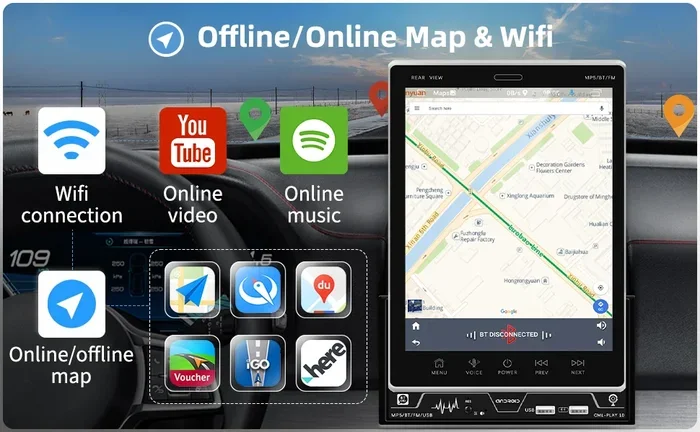
Does Car Navigation Work Without Internet While Driving
Yes, car navigation can work without internet. Most modern GPS systems use satellite signals to track your location and provide driving directions even when you have no data connection. You can download offline maps, use built-in navigation systems, and rely on preloaded routes to stay on course anywhere.
This is a comprehensive guide about Does Car Navigation Work Without Internet.
Key Takeaways
- GPS works offline: Satellite signals do not need internet to find your location and guide you.
- Offline maps are a game changer: Apps like Google Maps and Waze let you download maps before you travel.
- Built-in car systems work without data: Most factory navigation systems come with preloaded maps and do not need a connection.
- A 7-inch touch screen for car can improve your offline navigation experience by making maps easier to read.
- Preparation is key: Download maps and plan routes before you lose signal to avoid getting lost.
[FEATURED_IMAGE_PLACEHOLDER]
How Car Navigation Works Without Internet
Many drivers assume they need a data connection to use their car GPS. That is not true. Your car navigation system uses satellite signals to figure out where you are. These signals come from space. They do not need cell towers or Wi-Fi. So even in the middle of nowhere, your GPS can still work.
The GPS antenna in your car talks to satellites orbiting the Earth. It picks up timing signals from at least four satellites. From those signals, it calculates your exact position. This whole process happens in seconds. And it works completely offline.
But here is the catch. The map data itself needs to be stored somewhere. If you do not have internet, you cannot stream maps. That is why offline maps and preloaded data matter so much. Without them, your GPS knows where you are but cannot show you the road.
Most modern cars come with built-in navigation that includes map storage. Older cars may need a phone or tablet to fill that gap. Either way, the GPS part works without internet. The map part just needs to be ready beforehand.
So to answer the big question: does car navigation work without internet while driving? Yes, it absolutely can. You just need the right setup. Let us break down how that works in the sections below.
Offline Navigation Apps You Can Use
Smartphone apps have changed how we navigate. But not all apps work the same way without internet. Some need data to load maps on the fly. Others let you save maps directly to your phone. These are the ones you want when you are driving offline.
Google Maps Offline Mode
Google Maps is one of the most popular navigation apps in the world. The good news is it supports offline maps. You can download a specific area before you leave home. Once downloaded, the app works fully without internet.
Here is how to do it:
- Open Google Maps on your phone.
- Search for the city or area you want.
- Tap the name or address at the bottom.
- Select “Download offline map.”
- Choose the area size and tap “Download.”
Once the map is on your phone, you get turn by turn navigation without any data. It shows routes, traffic (based on last update), and points of interest. The app uses your GPS signal to track you. No internet needed.
Waze Offline Features
Waze is another great driving directions app. It is known for real-time traffic updates and accident reports. But Waze relies heavily on live data. The offline experience is more limited.
You can still use basic navigation without internet on Waze. It will track your GPS location and guide you along a pre-planned route. However, you will not get live traffic alerts or crowd-sourced reports. For basic route planning, it still works well offline.
Other Great Offline Navigation Apps
There are several other apps worth trying. Here are a few solid options:
- Sygic GPS Navigation: Offers full offline maps with voice guidance.
- HERE WeGo: Free offline maps with public transit info.
- MapFactor Navigator: Works well for European and global routes.
- Organic Maps: Open-source and privacy-focused offline navigation.
Each of these apps lets you download maps ahead of time. They use GPS satellites to guide you. And none of them require a data connection to function.
Built-In Car Navigation Systems
Many newer cars come with factory-installed navigation. These systems are designed to work even without internet. They have preloaded map data stored in the car’s computer. You do not need a phone or data plan to use them.
How Factory Navigation Systems Work
Built-in car navigation systems use the same satellite technology as your phone. But they have one big advantage. The maps are already inside the system. They do not need to be downloaded or streamed.
These systems typically include:
- A dedicated GPS receiver built into the car.
- Preloaded map data stored on a hard drive or chip.
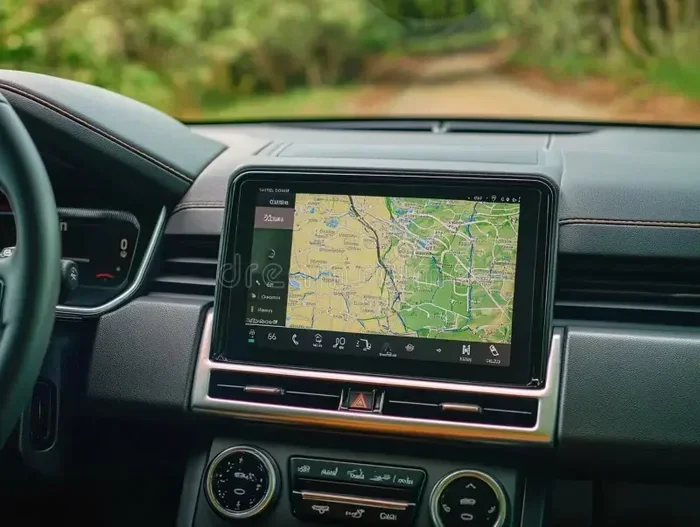
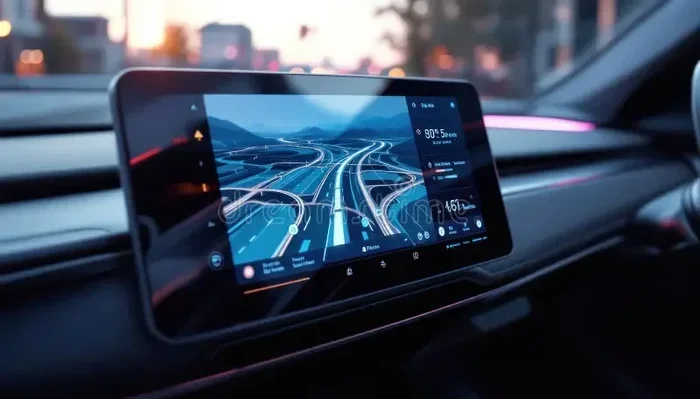
- A screen display, often a 7-inch touch screen for car models.
- Voice-guided turn by turn navigation instructions.
Because everything is built in, these systems work reliably offline. You get directions, route guidance, and points of interest. All without using any mobile data.
Aftermarket Navigation Units
If your car does not have built-in navigation, you can add it. Aftermarket GPS units are widely available. Brands like Garmin and TomTom offer standalone devices that work offline.
These units come with their own maps. You just mount them on your dashboard or windshield. They connect to satellites just like factory systems. And they do not need any internet connection at all.
Some aftermarket units also support map updates via USB or Wi-Fi. You can update the maps at home when you do have internet. Then they work offline on your next trip.
Tips for Using Navigation Without Internet
Driving without internet navigation can feel risky if you are not prepared. But with a few simple steps, you can stay on track. Here are some practical tips that actually work.
Download Maps Before You Leave
This is the single most important step. Before any trip, download the maps for your route. Do this while you still have Wi-Fi or data. Most navigation apps give you the option to save specific regions.
Make sure to check the download size. Some maps can be large. You need enough storage space on your phone or device. A good rule of thumb is to download the entire state or region you will be driving through.
Plan Your Route in Advance
Even with offline maps, it helps to plan ahead. Use your home Wi-Fi to look up your route. Save it in your app or write it down. This way, you know the major turns and exits before you start driving.
Some apps let you search for destinations while offline. But the results may be limited. Planning ahead removes that guesswork. You will feel much more confident on the road.
Keep Your Phone Charged
GPS usage drains your phone battery fast. Without internet, the app still works hard to track your location and render maps. Bring a car charger or a portable battery pack.
Pro tip: Turn down your screen brightness. This saves battery life significantly. You can also use voice guidance instead of staring at the screen the whole time.
Update Your Maps Regularly
Old maps can lead you wrong. Roads change. New routes get built. Businesses close or open. Make it a habit to update your offline maps every few weeks.
When you do have internet access, open your app and check for map updates. This takes just a few minutes. It can save you a lot of trouble on the road.
Use Multiple Navigation Sources
Do not rely on just one app or system. Carry a backup. If your phone dies, a standalone GPS unit can save the day. Or you can use a printed map as a last resort.
Many drivers also use their car’s infotainment system alongside a phone app. This gives them two layers of navigation. If one fails, the other can take over. It is always better to have more than one option.
Common Problems and How to Fix Them
Even with offline navigation, things can go wrong. Here are the most common issues drivers face and how to solve them.
GPS Signal Lost
Sometimes your GPS loses its satellite connection. This can happen in tunnels, underground parking, or dense forests. When this happens, your navigation app may freeze or show the wrong location.
The fix is simple. Wait a few seconds. The signal usually comes back once you exit the obstacle. You can also try turning your GPS off and back on. This forces the GPS antenna to reconnect to satellites.
Outdated Map Data
If your offline maps are old, they may not show new roads or changes. This is a common problem for people who do not update their maps often.
The solution is straightforward. Connect to Wi-Fi or data and update your maps. Most apps make this easy. They will notify you when updates are available. Take a minute to install them.
Slow or Unresponsive App
Offline navigation apps can sometimes lag. This is especially true on older phones with limited storage. If your app is slow, try closing other apps running in the background.
You can also clear the app cache. This frees up memory and can speed things up. Go to your phone settings, find the app, and clear the cache. It is a quick fix that often works.
No Voice Guidance
Some offline apps do not include voice directions by default. You may need to download voice packs separately. Check your app settings to see if voice guidance is available offline.
For example, Google Maps lets you download offline voice packages. These work without internet and guide you through each turn. It is a small step that makes a big difference on long drives.
Does Car Navigation Work Without Internet While Driving? Final Answer
The short answer is yes. Car navigation works without internet while driving. Your GPS receiver picks up satellite signals to track your location. As long as your maps are stored locally, you get full navigation without any data connection.
Whether you use a built-in car system, a phone app, or a standalone GPS unit, the core technology is the same. Satellites guide you. Maps show you the way. Internet just adds extra features like live traffic and real-time updates.
So the next time you head out on a road trip through a remote area, do not worry. Your navigation will still work. Just make sure you download your maps ahead of time. Plan your route. Keep your device charged. And you will be just fine.
A 7-inch touch screen for car or a quality infotainment display makes the whole experience much better. You can see your route clearly, even in bright sunlight. Pair that with offline maps and you have a reliable navigation setup that does not depend on any internet connection.
Stay prepared. Stay connected to satellites. And drive with confidence, no matter where the road takes you.
Frequently Asked Questions
Can I use Google Maps without internet in my car?
Yes, you can. Google Maps has an offline mode that lets you download maps to your phone. Once downloaded, you get full navigation including turn-by-turn directions without any data connection. Just make sure you download the maps before you lose signal.
Does a built-in car GPS need internet to work?
No, built-in car GPS systems do not need internet. They use satellite signals to track your location and rely on preloaded map data stored in the car’s system. Internet is only needed for live traffic updates and downloading new map data.
What happens if my navigation app loses GPS signal?
If your GPS signal drops, the app may pause or show your last known location. It will resume tracking once the signal returns. This commonly happens in tunnels, underground areas, or very dense forests. Simply wait a few seconds for the signal to reconnect.
How do I download offline maps for my car navigation?
Open your navigation app and look for the offline maps or download maps option. Select the region you want to cover. Wait for the download to complete. You can then use the app fully offline for navigation, route planning, and directions.
Is offline navigation as accurate as online navigation?
Yes, the GPS tracking accuracy is the same with or without internet. The difference is in the extra features. Online navigation gives you live traffic, road alerts, and updated points of interest. Offline navigation gives you the same core routing and directions based on stored map data.
Can I use a 7-inch touch screen for car navigation without internet?
Absolutely. A 7-inch touch screen for car works perfectly with offline navigation apps and built-in GPS systems. The screen displays your maps and routes regardless of your internet connection. It makes reading directions much easier while driving, especially on long trips through areas with no cell service.
=== CONCLUSION ===
Car navigation works without internet while driving. The satellite-based GPS system in your car or phone does not need a data connection to find your location or guide you to your destination. What it does need is preloaded or downloaded map data stored on your device.
By using offline navigation apps, keeping your maps updated, and planning your routes ahead of time, you can navigate confidently anywhere. Whether you are driving through mountains, deserts, or rural highways, your GPS will keep you on track.
Invest in a good setup. Download your maps. Use a quality display like a 7-inch touch screen for car for the best experience. And remember, the internet is just a bonus. Your navigation system was built to work on its own. Trust the satellites. Follow the directions. And enjoy the drive.