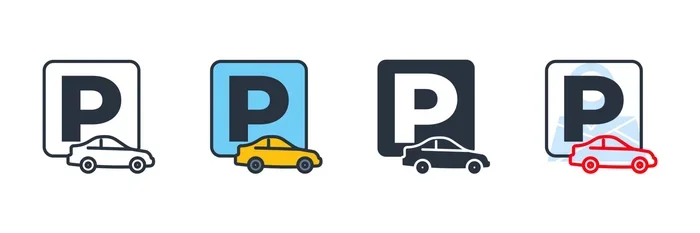
Car Parking Logo PNG Free Transparent Images and Icons
Car parking logo PNG files are essential for designers, businesses, and automotive brands looking for clean, scalable graphics. These transparent parking icons blend seamlessly into any background, making them ideal for websites, apps, and signage. You can download free parking logo images in multiple sizes and styles to suit your project. Whether you need a simple car park symbol or a detailed parking lot emblem, PNG format delivers crisp, professional results every time.
Finding the right car parking logo png can make or break a design project. Whether you are building a website for a parking garage, designing an app for drivers, or creating signage for a parking lot, the right logo sets the tone. A clean, transparent parking icon communicates your message instantly. It looks professional and polished without distracting from your content.
In this guide, we will walk you through everything you need to know about car parking logo PNG files. You will learn where to find them, how to choose the best ones, and why PNG format works so well for parking graphics. Let us dive in and explore the world of parking logo design together.
Key Takeaways
- PNG format preserves transparency: car parking logo PNG files keep backgrounds clean and blend perfectly with any design.
- Free resources are widely available: many sites offer high-quality parking icons at no cost for personal and commercial use.
- Multiple styles exist: from minimalist line icons to detailed parking lot graphics, there is a design for every need.
- Scalability is a major advantage: PNG logos stay sharp at any size, from small app icons to large billboards.
- Proper licensing matters: always check usage rights before downloading and using any parking logo image.
- Customization is easy: PNG files work well with design tools like Canva, Photoshop, and Figma for quick edits.
📑 Table of Contents
- What Is a Car Parking Logo PNG?
- Where to Find Free Car Parking Logo PNG Files
- Types of Car Parking Logo Designs
- How to Use Car Parking Logo PNGs Effectively
- Common Mistakes to Avoid with Parking Logo PNGs
- Benefits of Using Transparent Parking Logos
- Quick Tips for Choosing the Best Car Parking Logo PNG
- Conclusion
What Is a Car Parking Logo PNG?
A car parking logo PNG is a digital image file that features a parking-related symbol or emblem saved in PNG format. PNG stands for Portable Network Graphics. This format supports transparent backgrounds, which means the area around the logo is see-through. You can place it over any color, image, or design without a messy white box around it.
Parking logos come in many forms. Some show a simple car silhouette with a “P” symbol. Others display a full parking lot scene with arrows and lines. You might also find handicap parking icons, parking garage signs, or directional parking symbols. Each style serves a different purpose and audience.
Why PNG Format Matters for Parking Logos
Not all image formats are created equal. JPEG files have solid backgrounds, which can look awkward when placed on colored or patterned surfaces. PNG files solve this problem with built-in transparency. This makes them the go-to choice for parking symbol PNG graphics used in digital design.
Here are the key benefits of using PNG for parking logos:
- Transparent backgrounds let the logo blend into any surface.
- Lossless compression keeps the image sharp and clear.
- Support for millions of colors ensures vibrant, detailed graphics.
- Wide browser and software compatibility means no playback issues.
- Easy to edit in tools like Photoshop, Illustrator, and Canva.
Where to Find Free Car Parking Logo PNG Files
You do not need to be a professional designer to get great parking logos. Many websites offer free parking graphics that you can download right away. The trick is knowing which sites are trustworthy and which files are truly free for commercial use.
Top Free Sources for Parking Logo PNGs
Several reputable platforms host high-quality car parking logo png files. Here are some of the best places to start your search:
- Freepik – Offers thousands of parking icons in PNG and vector formats. Many files are free with attribution.
- Flaticon – A massive library of parking symbols and car park icons. Free versions available with a credit link.
- Icons8 – Provides clean, modern parking graphics in multiple sizes and styles.
- PNGWing – Specializes in transparent PNG images, including parking-related graphics.
- CleanPNG – A great resource for high-resolution parking logos with no background.
- Vecteezy – Offers both free and premium parking emblem designs for all project types.
What to Look for When Downloading
Not every parking logo clipart file is the same. Before you hit that download button, check a few important details. First, look at the resolution. A parking logo PNG should be at least 512 by 512 pixels for web use. For print projects, aim for higher resolutions or vector files.
Next, check the license. Some sites offer free files for personal use only. If you plan to use the logo on a business website or product, you need a commercial license. Always read the terms carefully. This small step saves you from legal headaches later.
Types of Car Parking Logo Designs
The world of parking logo design is diverse. Different styles work better for different projects. Understanding the main types helps you choose the right car park logo design for your needs.
Minimalist Parking Icons
Minimalist designs use simple shapes and clean lines. A basic car silhouette with a bold “P” in the center is a classic example. These parking lot icon files are lightweight and load fast on websites. They work well for mobile apps, dashboards, and small UI elements.
Minimalist logos are versatile. You can recolor them to match any brand palette. They also scale beautifully from tiny favicons to large hero images on your site.
Detailed Parking Emblems
Detailed emblems include more elements. You might see a parking garage illustration, directional arrows, road markings, or a scenic view of a parking area. These parking facility logo designs work great for printed materials, banners, and brochure covers.
Because of their complexity, detailed logos are best used at larger sizes. They may not look as crisp when scaled down to a small icon. Keep this in mind when choosing your file.
Directional and Signage Parking Graphics
Directional parking signs guide drivers to available spots. These parking sign vector graphics often include arrows, “P” symbols, and text overlays. They are essential for parking garages, shopping centers, and large parking lots.
Many designers use directional parking sign PNGs in their projects. These files are easy to layer into mockups and layouts. They communicate information quickly and clearly to drivers.
How to Use Car Parking Logo PNGs Effectively
Downloading a great car parking logo png is only half the battle. Using it correctly in your design makes all the difference. Follow these practical tips to get the best results.
Match the Logo to Your Brand Style
Your parking logo should feel consistent with your overall brand. If your website uses rounded, friendly fonts, choose a soft, approachable parking icon. If your brand is modern and bold, pick a sharp, geometric design. The parking emblem design should complement your existing visual identity.
Optimize File Size for Web Use
Large PNG files can slow down your website. Use an image optimizer to compress your parking logo PNG without losing quality. Tools like TinyPNG and Squoosh reduce file sizes significantly. Faster load times improve user experience and boost your search engine rankings.
Use Transparent Backgrounds Wisely
Transparency is a superpower, but use it thoughtfully. Place your parking logo clipart over backgrounds that provide enough contrast. A dark logo on a dark background will be hard to see. Always preview your design on different screen sizes and devices.
Keep a Library of Parking Graphics
Save your favorite parking icon download files in an organized folder. Create subfolders for different projects, styles, or uses. This saves time when you start a new design. You will have a ready-made collection of automotive parking graphics at your fingertips.
Common Mistakes to Avoid with Parking Logo PNGs
Even experienced designers make mistakes when working with car parking logo png files. Here are some common pitfalls and how to avoid them.
Using Low-Resolution Images
A blurry parking logo looks unprofessional. Always check the resolution before downloading. For web use, 72 DPI is standard. For print, you need at least 300 DPI. A parking logo PNG that looks great on screen may print poorly if the resolution is too low.
Ignoring Licensing Restrictions
Just because a file is free does not mean you can use it however you want. Many free parking graphics require attribution or limit commercial use. Read the license terms carefully. When in doubt, contact the creator or choose a file with a clear commercial license.
Overlooking Design Consistency
Mixing too many parking logo styles in one project creates visual clutter. Stick to one or two parking symbol PNG designs that share a similar aesthetic. Consistent design builds trust and looks more polished to visitors.
Forgetting About Accessibility
Make sure your parking logos are accessible to all users. Use sufficient color contrast between the logo and its background. Add alt text to your parking logo PNG images on websites. This helps screen readers describe the image to visually impaired visitors.
Benefits of Using Transparent Parking Logos
The advantages of transparent parking logo PNG files go beyond just looking clean. Let us explore some of the deeper benefits that make this format so popular among designers and businesses.
Flexibility in design placement is a huge advantage. You can position your parking logo over photos, gradients, textures, or solid colors. This flexibility opens up creative possibilities that solid-background images simply cannot match.
Faster website loading times are another benefit. When your parking lot icon blends seamlessly with the page background, it creates a smoother visual experience. Visitors stay on your site longer when it looks professional and loads quickly.
Easy brand consistency across platforms is essential today. Your parking logo might appear on your website, social media, mobile app, and printed materials. A transparent PNG ensures the logo looks the same everywhere, regardless of the background color or image.
Quick Tips for Choosing the Best Car Parking Logo PNG
Not sure where to start? Here are some quick tips to guide your selection:
- Start with your purpose. Are you designing for web, print, or an app? This determines the resolution and style you need.
- Choose a simple design for small spaces. Detailed logos lose clarity when scaled down. Keep it clean and readable.
- Check the color mode. Use RGB for digital projects and CMYK for print. This ensures your parking branding graphics look their best.
- Test on multiple backgrounds. Preview your logo on light, dark, and patterned backgrounds before committing.
- Download in multiple sizes. Having a small icon and a large version gives you more flexibility in future projects.
- Verify the license. Always confirm that your parking design template is free for your intended use.
Conclusion
Car parking logo PNG files are a valuable resource for anyone working in design, automotive branding, or digital marketing. They offer transparency, scalability, and professional quality that other formats simply cannot match. From minimalist parking icons to detailed parking lot emblems, the options are endless and free resources are abundant.
By choosing the right car parking logo png, optimizing it for your platform, and respecting licensing terms, you elevate your entire project. Your parking-related designs will look sharp, professional, and polished. Start exploring the free resources available today, and bring your parking branding ideas to life with confidence.
Frequently Asked Questions
Can I use free car parking logo PNG files for commercial projects?
It depends on the license. Many sites offer free files for personal use only, while others include commercial rights. Always check the specific license before using any car parking logo png in a paid project or business branding.
What size should my parking logo PNG be for a website?
For web use, a resolution of 512 by 512 pixels works well for most purposes. If you need a favicon, use 32 by 32 or 64 by 64 pixels. For hero images or banners, go with 1024 by 1024 or larger for crisp, clear results.
How do I remove the background if my parking logo PNG is not transparent?
Use a free online tool like Remove.bg or an editor like Photoshop and GIMP. These tools make it easy to create a transparent parking logo from any image file. Simply upload, let the tool detect the background, and download the clean PNG.
What is the difference between a PNG and a SVG parking logo?
PNG is a raster format made of pixels, while SVG is a vector format made of math-based paths. SVGs scale infinitely without losing quality, but PNGs are more widely supported and easier to use for most web and design projects involving parking symbol PNG graphics.
Are there copyright-free parking logo PNGs available online?
Yes, many platforms offer copyright-free or Creative Commons licensed parking logos. Sites like Pixabay and Unsplash provide free images. Always verify the license to confirm there are no restrictions on your intended use.
Can I customize a downloaded parking logo PNG to match my brand colors?
Absolutely. PNG files work well with design tools like Canva, Figma, and Adobe Photoshop. You can easily recolor your parking logo clipart to match your brand palette, making your design feel cohesive and professional.