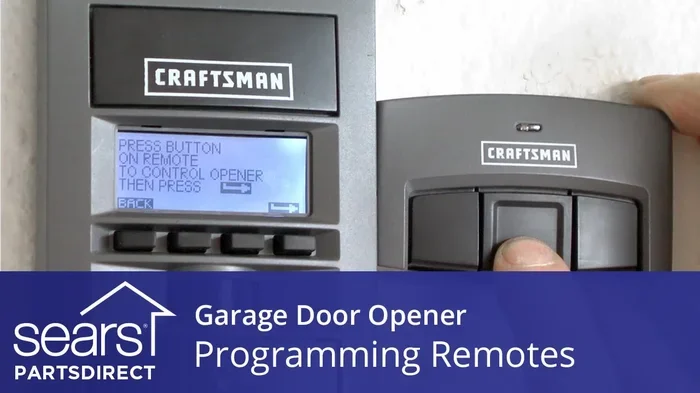
How Do You Code a Garage Door Opener Step by Step Guide
Learning how to code a garage door opener is easier than most homeowners think. This step-by-step guide walks you through programming your garage door remote, wall console, and keypad in under 30 minutes. You will also find brand-specific tips for Chamberlain, LiftMaster, Genie, and other popular garage door opener models.
Have you ever stood in your driveway, remote in hand, trying to figure out how to code a garage door opener? You are not alone. Thousands of homeowners face this same question every year. Whether you lost your remote, bought a new door opener, or just moved into a new home, programming your garage door opener is a skill everyone should have.
The good news is that coding a garage door opener does not require a technician or expensive tools. With the right guide, you can handle this task yourself in minutes. This step by step guide breaks down the entire process into simple, easy-to-follow instructions. By the end, you will feel confident programming your garage door remote, keypad, and wall console on any brand.
We will cover everything from basic remote programming to advanced rolling code technology setup. You will also learn common mistakes to avoid and expert tips that save time. Let us get started.
Key Takeaways
- Programming a garage door opener is simple: You only need the opener unit, your remote, and a few minutes of time.
- Universal remotes work with most brands: You can code a universal garage door opener to replace lost or broken remotes.
- Rolling code technology keeps your home safe: Modern openers use encrypted signals that change every time you press the button.
- Common mistakes cause failed programming: Timing issues, dead batteries, and wrong button sequences are the top culprits.
- Keypad and wall console programming follow similar steps: The process is nearly identical across different garage door opener models.
- Resetting your opener solves most issues: A factory reset often fixes stubborn programming problems.
- Safety sensors must be aligned first: Always check your sensors before attempting to code any device.
📑 Table of Contents
- Understanding Your Garage Door Opener Before You Code
- How to Code a Garage Door Opener Remote
- How to Code a Garage Door Opener Keypad
- How to Code a Garage Door Opener Wall Console
- Brand-Specific Programming Guides
- Resetting Your Garage Door Opener
- Safety Tips for Your Garage Door Opener
- Troubleshooting Common Programming Issues
- Upgrading Your Garage Door Opener
- Final Thoughts
Understanding Your Garage Door Opener Before You Code
Before you touch any buttons, it helps to understand what you are working with. A garage door opener is a motorized device that lifts and lowers your garage door. It connects to a garage door remote, a wall-mounted console, and sometimes a wireless keypad outside.
Most modern openers use rolling code technology. This means the security code changes every time you use the remote. It keeps intruders from copying your signal. Older openers used fixed codes, which were easier to program but less secure.
Types of Garage Door Openers
There are three main types of garage door openers you might encounter:
- Chain drive openers: These use a metal chain to move the door. They are affordable but can be noisy.
- Belt drive openers: These use a rubber belt instead of a chain. They run quietly and are great for homes with living space above the garage.
- Screw drive openers: These use a threaded steel rod. They require less maintenance but can be affected by temperature changes.
Knowing which type you have helps when troubleshooting later. The programming process is similar across all three types, so do not worry if you are not sure which one you own.
What You Need Before Starting
Gather these items before you begin programming your garage door opener:
- Your garage door opener unit (the motor housing mounted on the ceiling)
- The remote or device you want to program
- The garage door opener model number (check the label on the motor unit)
- A working flashlight (the motor area can be dark)
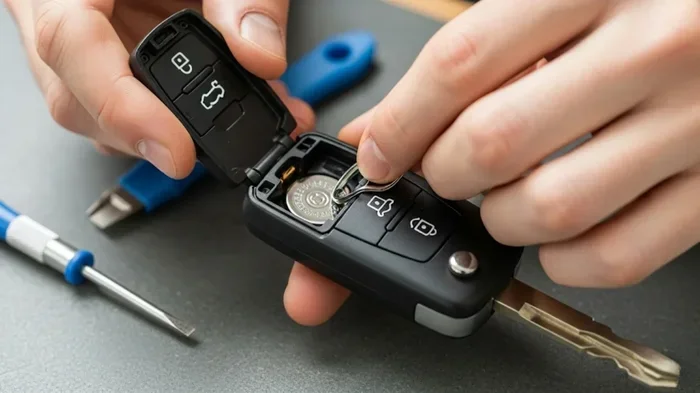
- Fresh batteries for your remote
- Your user manual (or the brand’s website for a digital copy)
Having everything ready makes the process smooth and fast. Skipping this step often leads to frustration mid-programming.
How to Code a Garage Door Opener Remote
Programming your garage door remote is the most common reason people search for this guide. Whether you bought a new remote or need to add one to an existing system, the steps are straightforward.
Step-by-Step Remote Programming
- Locate the Learn button on your garage door opener motor unit. It is usually near the antenna wire and may be colored yellow, purple, or red depending on the brand.
- Press and release the Learn button. The indicator light next to it will turn on. You usually have 30 seconds to complete the next step.
- Press and hold the button on your remote that you want to pair. Hold it about 1 to 3 inches from the motor unit.
- Release the remote button when the indicator light on the opener blinks or clicks.
- Test the remote by standing a safe distance away and pressing the button. The door should respond.
That is it! You just coded a garage door opener remote. The process takes less than two minutes once you know where the Learn button is.
Programming a Universal Remote
A universal garage door opener works with multiple brands. This is handy if you have different opener brands in your home or want to replace a lost remote without buying a brand-specific one.
Here is how to program a universal remote:
- Set the universal remote to the correct brand setting using the dip switches or brand buttons on the back.
- Follow the same Learn button process described above.
- If the first brand setting does not work, try the next one. Most universal remotes list compatible brands in their manual.
Quick Tips for Remote Programming
- Always use fresh batteries in your remote before programming.
- Hold the remote close to the motor unit during the pairing process.
- If the indicator light does not blink, press the Learn button again and repeat within 30 seconds.
- Program one remote at a time to avoid confusion.
How to Code a Garage Door Opener Keypad
An outdoor garage door keypad lets you open your door without a remote. It is especially useful for family members who do not carry remotes or for guests who need access.
Step-by-Step Keypad Programming
- Press and release the Learn button on your garage door opener motor unit.
- Within 30 seconds, go to your keypad outside the garage.
- Enter your desired PIN code (usually 4 to 8 digits).
- Press and hold the Enter button on the keypad.
- Wait for the opener light to blink or hear a click. This confirms the pairing is successful.
- Test the keypad by entering your PIN and pressing Enter from a short distance first.
Once the keypad is paired, you can change your PIN anytime by repeating the process with a new code. Keep your PIN private and do not share it with people you do not trust.
Programming a Wireless Keypad for a New Home
If you just moved into a new home, the previous owner may still have their keypad paired to the opener. In this case, you should reset the opener first to clear all old codes. We will cover how to reset your opener in the next section.
How to Code a Garage Door Opener Wall Console
The wall console is the button mounted inside your garage, usually near the door. Programming it is slightly different from a remote because it is wired directly to the opener.
Most wall consoles come pre-programmed from the factory. However, if you replaced your console or added a new one, you may need to pair it manually.
Wall Console Programming Steps
- Locate the Learn button on the motor unit.
- Press and release the Learn button.
- Press and hold the wall console button for about two seconds.
- Release when the opener light blinks.
- Test the console by pressing the button from inside the garage.
The wall console does not need batteries since it is hardwired. If it stops working, check the wiring connections at the back of the console unit.
Brand-Specific Programming Guides
While the general process is similar across brands, each manufacturer has small differences. Here is a quick comparison of the most popular garage door opener brands.
Programming Comparison Table
| Brand | Learn Button Color | Programming Time Limit | Special Feature |
|---|---|---|---|
| Chamberlain | Yellow | 30 seconds | MyQ smart home compatibility |
| LiftMaster | Purple or Yellow | 30 seconds | Security+ 2.0 rolling code |
| Genie | Red or Purple | 30 seconds | Intellicode rolling code system |
| Craftsman | Yellow or Red | 30 seconds | Smart Start feature |
| Overhead Door | Purple | 30 seconds | Microprocessor-based logic board |
Chamberlain and LiftMaster Specifics
Chamberlain and LiftMaster openers use a yellow Learn button in most models. Press it once to enter programming mode. If your model has a Smart/Learn button behind a light lens, press the lens to reveal it. These brands also support myQ app integration, which lets you control your opener from your phone after the initial coding is complete.
Genie Specifics
Genie openers typically have a red Learn button on the back of the motor unit. Some older models use a purple button. Genie’s Intellicode system automatically generates a new security code each time you program a new device. This adds an extra layer of protection for your home.
Expert Insight
Professional technicians recommend always checking the garage door opener model number before programming. The model number determines which remote codes are compatible and which programming sequence to follow. Writing it down and keeping it in your home records saves time and frustration later.
Resetting Your Garage Door Opener
Sometimes you need to clear all existing codes and start fresh. This is called resetting your garage door opener. You should reset when moving into a new home, after losing a remote, or when programming fails repeatedly.
How to Factory Reset Your Opener
- Press and hold the Learn button for about 6 seconds until the indicator light turns off.
- Release the button. This clears all remotes, keypads, and wall consoles from the opener’s memory.
- Reprogram all your devices one at a time using the steps in this guide.
After a reset, the opener returns to its default settings. You will need to re-pair every device you want to use. This might feel tedious, but it ensures only your trusted devices can operate the door.
When to Call a Professional
Most garage door opener programming tasks are DIY-friendly. However, call a professional if:
- The motor unit does not respond to the Learn button at all
- You smell burning or hear unusual noises near the opener
- The door reverses immediately after closing
- Your safety sensors are misaligned and will not allow the door to close
Common Mistakes to Avoid
- Pressing the wrong button: Many openers have multiple buttons. Make sure you press the Learn button, not the Smart button or the Reset button.
- Waiting too long: You have only 30 seconds after pressing the Learn button to pair your device. Do not delay.
- Using dead batteries: A weak remote battery causes failed programming attempts. Always replace batteries first.
- Standing too far away: Hold the remote within 1 to 3 feet of the motor unit during pairing.
- Skipping the test step: Always test each device immediately after programming to confirm it works.
Safety Tips for Your Garage Door Opener
Programming your opener is only half the job. Keeping it safe is just as important. Garage doors are heavy machines, and a malfunctioning opener can cause serious injury or property damage.
Monthly Safety Checks
- Test the auto-reverse feature: Place a roll of paper towels on the ground under the door. Close the door. It should reverse when it touches the paper towels.
- Check the photo-eye sensors: These are the small sensors mounted on either side of the door frame. Clean them with a soft cloth and make sure they are aligned.
- Inspect the emergency release handle: Pull it to disconnect the door from the opener. This lets you manually open the door during a power outage.
Quick Safety Tips
- Never let children play with the garage door remote or wall console.
- Keep the remote out of reach of young children.
- Update your keypad PIN regularly, especially if you have had guests over.
- Do not attempt to remove or bypass safety sensors.
Troubleshooting Common Programming Issues
Even when you follow every step correctly, things sometimes go wrong. Here are the most common issues and how to fix them.
Remote Does Not Respond After Programming
This is the most frequent problem. Try these solutions in order:
- Replace the remote batteries and try again.
- Move closer to the motor unit when pressing the remote button during programming.
- Check if the opener light blinks when you press the Learn button. If it does not, the Learn button may be faulty.
- Reset the opener and start the programming process over.
Keypad Shows No Response
If your keypad does not work after programming:
- Check the keypad battery and replace it if needed.
- Make sure you entered the correct PIN.
- Ensure the keypad is within range of the motor unit (typically up to 50 feet).
- Try reprogramming the keypad from scratch.
Door Opens but Does Not Close
This issue is usually related to the safety sensors, not the programming itself. Check the following:
- Make sure nothing is blocking the sensor beams.
- Clean the sensor lenses with a dry cloth.
- Check the sensor indicator lights. One should be solid and one should be blinking. If both are solid or both are off, they are misaligned.
Expert Insight
Technicians often see homeowners spend hours trying to reprogram a remote when the real issue is a misaligned sensor or a dead battery. Always check the basics first before assuming the programming failed.
Upgrading Your Garage Door Opener
If your current opener is more than 10 years old, you might benefit from upgrading to a newer model. Modern openers offer better security, quieter operation, and smart home integration.
Benefits of a New Garage Door Opener
- Rolling code security: Every new opener uses encrypted signals that are nearly impossible to copy.
- Smart features: Many new models connect to Wi-Fi and work with apps like myQ, Alexa, and Google Home.
- Battery backup: Newer openers include battery backup so your door still works during power outages.
- Quieter operation: Belt drive and newer chain drive models run much more quietly than older units.
When choosing a new opener, check the garage door opener model number compatibility with your door size and weight. Most manufacturers offer online guides to help you pick the right unit.
Final Thoughts
Coding a garage door opener does not have to be intimidating. With the right steps and a little patience, you can program your remote, keypad, and wall console in no time. Remember to always start with fresh batteries, press the Learn button correctly, and test each device immediately after pairing.
The key to success is understanding your specific opener model and following the steps in the right order. Whether you are using a Chamberlain, LiftMaster, Genie, Craftsman, or Overhead Door opener, the basic process remains the same. Once you have coded your garage door opener once, you will never forget how to do it again.
Keep this guide bookmarked for future reference. Share it with family members who might need help programming their remotes or keypads. A well-coded garage door opener keeps your home secure and your daily routine running smoothly.
Frequently Asked Questions
Can I program a garage door opener remote without a Learn button?
Some older models use a smart switch or dip switches on the back of the motor unit instead of a Learn button. Check your user manual for the specific method. If your opener has no Learn button and no dip switches, it likely uses a proprietary programming method unique to that brand.
How many remotes can I program to one garage door opener?
Most openers can store between 5 and 10 remote codes in their memory. Check your user manual for the exact number. If you need more than the opener supports, consider installing a universal remote or a smart controller that handles multiple devices.
Why does my garage door opener remote stop working after programming?
The most common reason is dead or weak batteries. Replace the batteries and reprogram if needed. Other causes include interference from nearby devices, a faulty remote, or the opener’s memory being full. Try resetting the opener and reprogramming to fix most issues.
Can I code a garage door opener for a neighbor’s remote?
No, you should only program remotes that belong to you or people you trust. Each opener has a limited memory for paired devices. If a neighbor needs access, give them their own remote programmed to your opener, or install a wireless keypad with a private PIN.
What is the difference between a fixed code and a rolling code garage door opener?
A fixed code opener uses the same code every time you press the remote. A rolling code opener changes the code with each use, making it much more secure. Most openers manufactured after 2000 use rolling code technology. If you have an older fixed-code opener, consider upgrading for better home security.
How do I know if my garage door opener needs to be replaced instead of reprogrammed?
If your opener is more than 15 years old, makes loud grinding noises, or fails to respond even after reprogramming, it may be time for a replacement. Modern openers are more reliable, quieter, and safer. A professional technician can assess your unit and recommend the best option for your home.