How Do I Reset My Sound Panel to Solve Sound Problems
Resetting your sound panel is one of the easiest ways to fix crackling speakers, distorted audio, and other car sound problems. Whether you drive a sedan, SUV, or truck, a quick reset can often bring your car audio system back to life without a trip to the mechanic. This guide walks you through every method, from a simple power cycle to a full system reboot, so you can enjoy clear sound again in minutes.
There’s nothing more frustrating than hopping in your car, pressing play, and getting nothing but static or silence. Your sound panel is the control center for everything you hear in your vehicle. When it acts up, your entire driving experience takes a hit. The good news? Most sound panel problems are easy to fix with a simple reset. You don’t need to be a car expert. You don’t need expensive tools. And you definitely don’t need to spend hours in a repair shop.
This guide will show you exactly how to reset your sound panel step by step. We’ll cover soft resets, hard resets, and everything in between. By the end, you’ll know which method to use, when to use it, and how to prevent the problem from coming back. Let’s get your car audio sounding great again.
Key Takeaways
- Soft Reset Is Quick: A simple power cycle can fix most minor sound panel glitches in under two minutes.
- Hard Reset Clears Deeper Issues: Disconnecting the battery resets all car electronics and clears stubborn audio faults.
- Check Your Settings First: Many sound problems come from accidentally changed settings, not hardware failures.
- Know When to Call a Pro: If resets don’t work, the issue may be a blown speaker or wiring problem that needs expert attention.
- Prevention Saves Time: Regular maintenance and clean connections keep your sound panel working smoothly for years.
- Firmware Updates Matter: Keeping your infotainment system updated prevents many common audio bugs.
- Reset Methods Vary by Vehicle: Always check your owner’s manual for model-specific reset steps.
📑 Table of Contents
What Is a Sound Panel and Why Does It Need Resetting?
Your sound panel is the interface that controls your car’s audio system. It manages the volume, balance, fade, equalizer settings, and speaker outputs. Think of it as the brain behind your car audio system. Modern vehicles have advanced infotainment screens that handle music, navigation, and phone calls all at once.
Over time, these systems can develop glitches. A software freeze might mute your speakers. A power surge could scramble your settings. Even a minor electrical hiccup can throw your entire vehicle sound system off balance. Resetting the panel clears these temporary errors and restores normal function.
Just like restarting your phone fixes minor software bugs, resetting your sound panel clears out temporary errors. It forces the system to start fresh. Most car owners never need to do this. But when car speaker problems pop up, a reset is often the fastest fix.
Common Reasons Your Sound Panel Might Need a Reset
Several things can cause your sound panel to malfunction. Here are the most common culprits:
- Software Freeze: The panel becomes unresponsive or locks up mid-use.
- Audio Distortion: You hear static, buzzing, or crackling through the speakers.
- Volume Issues: The sound cuts in and out or stays stuck at one level.
- Setting Glitches: Your equalizer or balance settings reset randomly or get stuck.
- Connection Problems: Bluetooth or auxiliary connections fail to pair properly.
- Power Surges: A jump start or battery replacement can confuse the system.
- Firmware Bugs: Outdated software can cause intermittent audio dropouts.
How to Reset Your Sound Panel: Step-by-Step Methods
Not all resets are the same. Different methods work for different types of problems. Here’s how to approach each one.
Method 1: The Soft Reset (Power Cycle)
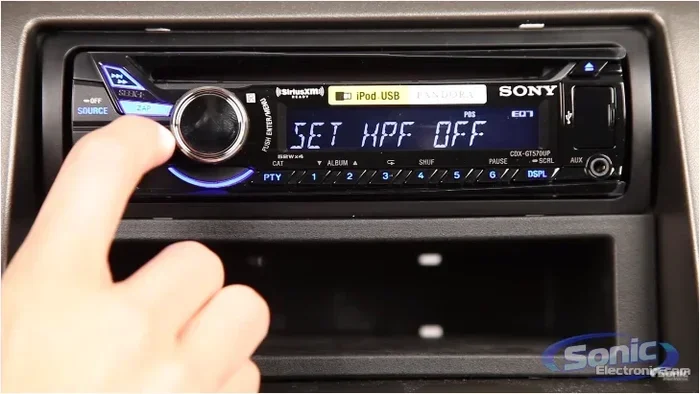
A soft reset is the simplest and fastest approach. It works like restarting your computer. This method is perfect for minor glitches, frozen screens, or temporary audio dropouts.
- Turn off your car. Make sure the engine is completely off.
- Press and hold the power button on your sound panel for 10 to 15 seconds.
- Wait 30 seconds. Let the system fully power down.
- Turn the car back on. The sound panel should restart with default settings.
This method is safe for every vehicle. It won’t delete your saved stations or Bluetooth pairings in most cases. If your car stereo reset needs something a bit more thorough, move on to the next method.
Quick Tip: If holding the power button doesn’t work, try turning the ignition to the “accessories” mode (just the radio on, engine off) and hold the button there instead. Some systems respond better to this approach.
Method 2: The Fuse Reset
Sometimes a soft reset isn’t enough. In that case, resetting the fuse connected to your audio system can do the trick. This method works well when the panel is completely unresponsive.
- Open your fuse box. Check your owner’s manual for the location. Most cars have the fuse box under the dashboard on the driver’s side.
- Find the audio fuse. It’s usually labeled “AUDIO,” “RADIO,” or “AMP.”
- Remove the fuse using a fuse puller or a pair of needle-nose pliers.
- Wait 2 to 3 minutes. This lets the system fully discharge.
- Reinsert the fuse firmly.
- Turn the car on and test your sound panel.
This method is slightly more involved but very effective. It clears deeper electrical glitches that a simple power cycle can’t reach. If you’re not comfortable working with fuses, a car audio troubleshooting guide or a quick visit to a mechanic can help.
Method 3: The Battery Disconnect (Hard Reset)
A hard reset is the most thorough option. It resets every electronic system in your car, including the sound panel. Use this method when nothing else works or when multiple systems are acting up at once.
- Turn off the engine and remove the keys from the ignition.
- Open the hood and locate the car battery.
- Disconnect the negative terminal (the black cable) first using a wrench.
- Wait 10 to 15 minutes. This gives all systems time to fully reset.
- Reconnect the negative terminal and tighten it securely.
- Start the car and check your sound panel.
A hard reset will clear all temporary settings. You may need to reset your radio presets, clock, and Bluetooth connections. But your saved data and files will remain intact. This method is especially helpful if you’ve been dealing with car sound issues across multiple systems.
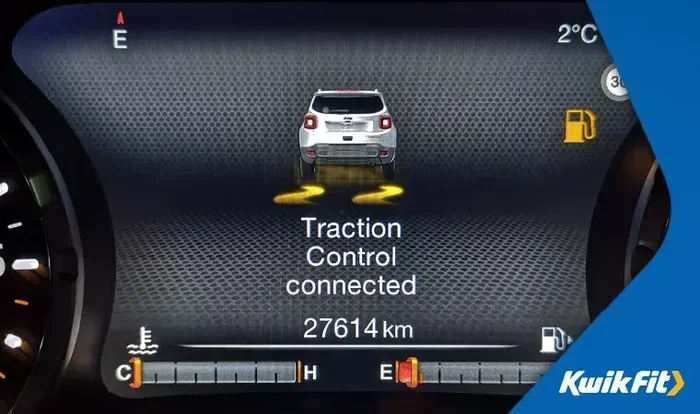
One thing to keep in mind: if your Trac Off light or any other warning indicator comes on after a battery disconnect, don’t panic. This is normal and usually clears after a short drive. However, if the light stays on, you might want to check whether you can still drive safely. For more on that, read our article on Can I Drive My Car With The Trac Off Light On.
When Should You Not Reset Your Sound Panel?
Resetting is a great first step. But it’s not the answer for every problem. Knowing when not to reset saves you time and frustration.
Physical Damage to Speakers or Wiring
If you’ve been in a car accident or your speakers have taken a hit, a reset won’t fix the problem. Blown speakers, torn cones, or damaged wiring need physical replacement. You’ll hear a rattling sound, no sound from one speaker, or a clear difference in volume between speakers.
Water Damage to the Audio System
If moisture has gotten into your sound panel or speaker wiring, resetting won’t help. Water damage can corrode internal components. In this case, you need professional inspection and possibly replacement of the affected parts.
Age-Related Wear and Tear
Car audio systems don’t last forever. If your vehicle is over 15 years old and the sound quality has slowly gotten worse, a reset won’t reverse hardware aging. Worn-out amplifiers, aging capacitors, and degraded speaker materials need replacement.
Preventing Sound Panel Problems in the Future
The best way to deal with sound panel issues is to prevent them from happening in the first place. A few simple habits can keep your car audio maintenance on track for years.
Keep Your System Clean
Dust and debris can build up around your sound panel vents and speaker grilles. Use a soft, dry cloth to gently wipe down the panel and speakers every few months. Avoid using liquid cleaners directly on electronic components.
Update Your Firmware
Many modern vehicles have updatable infotainment software. Check your owner’s manual or visit your dealership to see if updates are available. Firmware updates often fix audio system bugs and improve overall performance.
Avoid Overloading the Electrical System
Adding too many aftermarket accessories can strain your car’s electrical system. If you’ve installed extra amplifiers, subwoofers, or lighting, make sure they’re properly wired. An overloaded system can cause sound distortion in car and even damage your audio panel.
Protect Your System From Temperature Extremes
Extreme heat and cold can affect electronic components. Park in a garage or shaded area when possible. In winter, let your car warm up for a few minutes before cranking up the audio system at full volume.
Expert Insight: If you’re unsure whether a sound panel issue is a simple glitch or a deeper problem, it never hurts to get a second opinion. Many mechanics offer free diagnostic checks for electrical issues. For more on understanding car repair costs, check out our article on Do Mechanics Do A Lot Of Math.
How to Know If You Need Professional Help
Most sound panel problems resolve with a reset. But some issues need a trained eye. Here are signs that it’s time to visit a professional:
- The panel won’t power on at all, even after a full battery disconnect.
- You hear a persistent buzzing or humming that doesn’t go away after a reset.
- Sound cuts out only at certain volumes, which suggests a failing amplifier.
- Multiple electronic systems are malfunctioning, which could indicate a wiring or electrical issue.
- The problem keeps coming back even after multiple resets.
A professional mechanic or car audio specialist can run diagnostic tests that pinpoint the exact issue. They have tools and experience that go beyond what a reset can fix. If your car’s audio system is under warranty, a professional repair might even be covered at no cost to you.
It’s also worth noting that sometimes car problems are connected in unexpected ways. For example, electrical issues from your audio system could potentially affect other parts of your vehicle. If you’re ever unsure whether a car problem is safe to drive with, always err on the side of caution. For instance, if your car has been running hot and you’re worried about the audio system or other electronics, check out our guide on Can I Drive My Car After It Overheats for helpful safety advice.
Quick Comparison: Soft Reset vs. Hard Reset
Not sure which reset method to try first? Here’s a quick comparison to help you decide.
| Feature | Soft Reset | Hard Reset |
|---|---|---|
| Difficulty Level | Easy | Moderate |
| Time Required | 2 minutes | 20 minutes |
| Tools Needed | None | Wrench |
| Best For | Minor glitches, frozen screen | Multiple system issues, deep glitches |
| Data Loss Risk | Low | Medium (presets may reset) |
| Success Rate | High for minor issues | Very high for stubborn problems |
Start with a soft reset. If that doesn’t work, try the fuse reset. Save the hard reset for last. This approach minimizes disruption and gets your sound panel working again as quickly as possible.
Key Takeaways
- Soft Reset Is Quick: A simple power cycle can fix most minor sound panel glitches in under two minutes.
- Hard Reset Clears Deeper Issues: Disconnecting the battery resets all car electronics and clears stubborn audio faults.
- Check Your Settings First: Many sound problems come from accidentally changed settings, not hardware failures.
- Know When to Call a Pro: If resets don’t work, the issue may be a blown speaker or wiring problem that needs expert attention.
- Prevention Saves Time: Regular maintenance and clean connections keep your sound panel working smoothly for years.
- Firmware Updates Matter: Keeping your infotainment system updated prevents many common audio bugs.
- Reset Methods Vary by Vehicle: Always check your owner’s manual for model-specific reset steps.
Frequently Asked Questions
How long does it take to reset a sound panel?
A soft reset takes about two minutes. A fuse reset adds another five minutes. A full battery disconnect hard reset takes around 20 minutes total. Most people find that a soft reset solves the problem quickly and easily.
Will resetting my sound panel delete my saved radio stations?
It depends on the reset method. A soft reset usually keeps your presets intact. A hard reset through battery disconnect may reset your saved stations. Your Bluetooth pairings and other settings may also need to be reconfigured after a hard reset.
Why does my car sound panel keep freezing?
Repeated freezing often points to a software bug or outdated firmware. Try updating your system first. If the problem continues, a hard reset can clear persistent software errors. If freezing happens after every reset, there may be a hardware issue that needs professional diagnosis.
Can I reset my sound panel while driving?
It’s not recommended. Pull over to a safe location before attempting any reset. A frozen screen or sudden audio cutout while driving can be distracting. Safety always comes first when working with your car’s electronics.
Do I need special tools to reset my sound panel?
For a soft reset, you need nothing at all. A fuse reset requires a fuse puller or needle-nose pliers. A hard reset needs a basic wrench to disconnect the battery terminal. None of these methods require expensive or specialized equipment.
Is it safe to disconnect my car battery to reset the sound panel?
Yes, it’s completely safe when done correctly. Always disconnect the negative terminal first and wait at least 10 minutes before reconnecting. This method resets all electronic systems and is a standard troubleshooting step used by mechanics and car owners alike.
=== CONCLUSION ===
Resetting your sound panel is one of the simplest and most effective ways to solve common car audio problems. Whether you choose a soft reset, a fuse reset, or a full hard reset, the process is straightforward and doesn’t require any special skills. Most sound issues clear up with just a power cycle, saving you time and money.
Remember to start with the simplest method and work your way up. Check your settings first, try a soft reset, and only move to more involved methods if needed. Keep your system clean, update your firmware regularly, and protect your car from extreme temperatures. These habits go a long way in preventing future problems.
If resets don’t solve the issue, don’t hesitate to seek professional help. A trained mechanic can diagnose problems that go beyond what a reset can fix. Your car’s sound system is an important part of your daily driving experience. Taking care of it means enjoying clear, quality audio every time you hit the road.