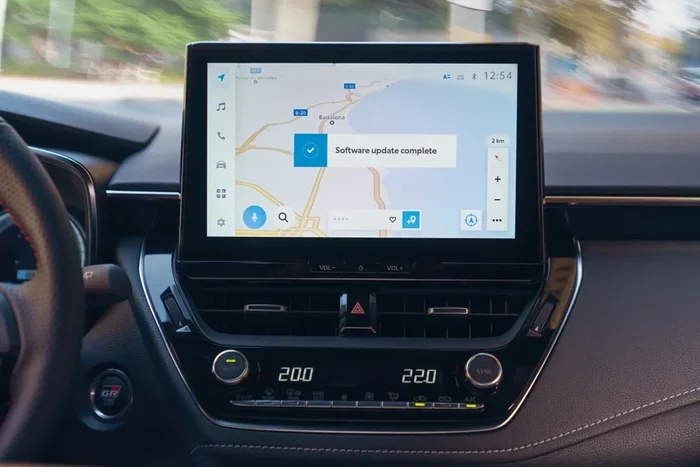
Can You Update Toyota Maps for Free on Any Vehicle
Yes, you can update Toyota maps for free in several ways. Whether you own a newer Toyota with Entune or an older model, there are straightforward methods to keep your Toyota navigation maps current. This guide walks you through every option, from USB downloads to dealer visits, so you save money and stay on the right route.
Driving with outdated maps is frustrating. You miss turns, follow wrong directions, and waste time. If you own a Toyota, you might wonder whether you can update Toyota maps for free. The good news is that yes, you can.
Toyota offers several ways to keep your Toyota navigation maps fresh and accurate. Some methods cost nothing at all. Others involve a simple trip to the dealer. Either way, staying current with your Toyota navigation update makes every drive smoother and more reliable.
In this guide, we cover every method available. We explain which Toyota models qualify, what tools you need, and step-by-step instructions for each approach. By the end, you will know exactly how to update your maps without paying a dime.
Key Takeaways
- Free map updates are available: Toyota offers free map updates through multiple channels including USB downloads and dealer service events.
- Entune system owners have the easiest path: If your Toyota has Entune 3.0 or later, you can often update maps directly through the system.
- Older models still have options: Even pre-Entune Toyotas can receive map updates via USB or at the dealer.
- Google Maps integration is another route: You can connect your phone to Toyota’s system for live map data as an alternative.
- Regular updates matter: Keeping maps current improves routing accuracy and helps you avoid wrong turns and missed exits.
📑 Table of Contents
- Why Keeping Your Toyota Maps Updated Matters
- Understanding Toyota Navigation Systems
- Method 1: Update Toyota Maps Using a USB Drive
- Method 2: Use Toyota Entune or MyT to Update Wirelessly
- Method 3: Visit a Toyota Dealer for a Free Map Update
- Method 4: Connect Google Maps Through Your Phone
- How Often Should You Update Toyota Maps?
- Common Mistakes to Avoid When Updating Toyota Maps
- Can You Update Maps on Any Toyota Vehicle?
- Cost Comparison: Free vs Paid Map Updates
- Pro Tips for Keeping Your Toyota Navigation in Top Shape
- The Future of Toyota Navigation Updates
- Final Thoughts
Why Keeping Your Toyota Maps Updated Matters
Maps change constantly. New roads get built. Streets get renamed. Businesses open and close. If your Toyota GPS map data is out of date, your navigation system cannot guide you properly.
Here is why updating matters:
- Better routing accuracy: Updated maps know about new highways, roundabouts, and road changes.
- Faster travel times: Current map data finds the best routes based on recent road layouts.
- Fewer wrong turns: Outdated maps often send you down roads that no longer exist or have changed.
- Improved POI data: New restaurants, gas stations, and landmarks appear in updated maps.
- Safety benefits: Accurate maps reduce confusion, which means fewer sudden lane changes or missed exits.
Think of it like this. You would not use a paper map from ten years ago to navigate a new city. The same logic applies to your Toyota’s built-in system.
Understanding Toyota Navigation Systems
Not all Toyotas use the same navigation technology. The method you use to update maps depends on which system your vehicle has. Let us break down the main systems.
Toyota Entune System
Entune is Toyota’s infotainment platform. It comes in different versions. Entune 3.0 is the latest and offers the most features. If your Toyota has Entune, you likely have access to map update tools directly through the touchscreen.
Entune systems support Wi-Fi connectivity in many models. This means your car can download updates over the air in some cases. Check your specific model year to confirm what Entune version you have.
Toyota Audio Plus and Premium Audio
Many Toyotas come with Audio Plus or Premium Audio systems. These systems include navigation but may not have Wi-Fi. For these models, you typically need a USB drive to install map updates manually.
Older Toyota Navigation Units
If you drive an older Toyota, your system might use a dedicated navigation unit from brands like Denso or Pioneer. These units still accept map updates, but the process is a bit different. You may need to visit a dealer or order a map disc or USB update.
No matter which system you have, there is almost always a free way to update your maps. Let us look at each method now.
Method 1: Update Toyota Maps Using a USB Drive
This is the most common free method. It works on most Toyota models with a navigation system. You download map data from Toyota’s website and load it onto a USB drive.
What You Need
- A USB flash drive with at least 8GB of storage
- A computer with internet access
- Your Toyota’s model year and system information
Step-by-Step Instructions
Follow these steps carefully to avoid any problems:
- Visit the Toyota support website. Go to the official Toyota page for map updates. Enter your vehicle’s information.
- Select your map region. Choose the area you need updated. You can update just your local area or download broader coverage.
- Download the map file. The file will be large, usually several gigabytes. Make sure your computer has enough space.
- Format your USB drive. Use FAT32 format. This is the format Toyota systems recognize.
- Copy the map files to the USB drive. Follow the folder structure shown on the download page exactly.
- Plug the USB drive into your Toyota. Start the car and go to the navigation settings.
- Select the update option. The system will recognize the USB drive and guide you through installation.
The whole process takes about 30 to 60 minutes depending on your system. Do not turn off the car during the update. Wait for the system to confirm the installation is complete.
Method 2: Use Toyota Entune or MyT to Update Wirelessly
If your Toyota has Entune 3.0 or a connected service plan, you might be able to update maps over Wi-Fi. This is the easiest method because it requires no USB drive or computer.
How Wireless Updates Work
Toyota’s connected services allow your vehicle to communicate with the internet. When a new map update is available, the system notifies you on the touchscreen. You simply accept the download, and the car handles the rest.
Here are the key benefits:
- No USB drive needed: Everything happens wirelessly.
- Automatic notifications: You get alerted when updates are ready.
- Convenient: Update your maps while parked at home or work.
- Smaller downloads: Wireless updates often contain only changed data, so they are faster.
Keep in mind that not all Toyotas support wireless map updates. Check your vehicle’s connectivity features. If your car has a mobile app like MyT, you can also check for updates through the app.
Method 3: Visit a Toyota Dealer for a Free Map Update
Toyota dealers can update your maps for free in most cases. This is a great option if you are not comfortable with the USB method or if your system requires a specific update format.
What to Expect at the Dealer
Bring your Toyota to the service department and ask for a navigation map update. The process usually takes about 30 to 90 minutes. Here is what happens:
- The service advisor checks your vehicle’s system version.
- They connect your car to their update server.
- The new map data downloads and installs.
- They test the navigation system to confirm everything works.
Most dealers offer this service at no charge. However, some may charge a labor fee if the update takes longer than expected. Call ahead and ask about their map update policy. This saves you a surprise bill.
Pro tip: Some Toyota dealers run free map update events a few times a year. Check your local dealer’s website or call to ask about upcoming events.
Method 4: Connect Google Maps Through Your Phone
If updating your built-in maps feels like too much work, consider using Google Maps through your phone. Many newer Toyotas allow you to mirror Google Maps on the touchscreen.
Google Maps updates constantly and is always free. You get real-time traffic data, live rerouting, and the latest road information. This is a great alternative to relying solely on your Toyota’s built-in navigation.
To connect Google Maps to your Toyota, you can use Apple CarPlay or Android Auto if your vehicle supports it. Simply mirror your phone’s screen to the car’s display. You get all the benefits of Google Maps without needing to update your built-in system.
This method is especially helpful for Toyotas that no longer receive map update support from the manufacturer. Learn how to get Google Maps connected to your car for a step-by-step walkthrough.
How Often Should You Update Toyota Maps?
Toyota releases map updates several times a year. The frequency depends on the region and the system. Here is a general guideline:
- Entune 3.0 users: Check for updates every 3 to 6 months.
- USB update users: Update once or twice a year, or whenever you notice routing issues.
- Dealer update users: Ask your dealer about the next available update cycle.
You do not need to update every month. But updating at least once or twice a year keeps your navigation accurate and reliable.
Signs Your Maps Need Updating
Watch for these warning signs that your maps are out of date:
- The system routes you down roads that do not exist.
- You keep getting “map data outdated” warnings.
- New roads or highways are missing from your map.
- Business locations show as closed or moved.
- Your navigation takes you to the wrong address.
If you notice any of these, it is time to update your Toyota map data.
Common Mistakes to Avoid When Updating Toyota Maps
Updating maps should be simple, but mistakes happen. Here are common errors and how to avoid them:
Using the Wrong USB Drive Format
Toyota systems need FAT32 format. If your USB drive is NTFS or exFAT, the system will not read it. Always format the drive to FAT32 before copying map files.
Interrupting the Update Process
Never turn off the car or remove the USB drive during an update. This can corrupt the map data and cause the navigation system to malfunction. Wait until the system fully confirms completion.
Downloading Maps from Unofficial Sources
Only download map files from Toyota’s official website or authorized sources. Third-party map files can contain errors or even damage your system. Stick with official channels to keep your Toyota navigation system safe.
Ignoring System Requirements
Some map updates require a minimum system version. If your navigation software is too old, the new map data may not install. Check for software updates before attempting a map update.
Can You Update Maps on Any Toyota Vehicle?
The short answer is mostly yes. Toyota provides map updates for the vast majority of its vehicles with navigation systems. However, there are some exceptions.
Very old Toyotas from before 2010 may no longer receive map updates. The manufacturer eventually ends support for older systems. If you drive a classic Toyota, you might need to rely on third-party solutions or phone-based navigation.
For most Toyotas from 2011 onward, free map updates are available. The method varies by model and system, but the options are there. Check Toyota’s official support page for your specific model to confirm eligibility.
Also keep in mind that some features like real-time traffic or voice recognition may require a subscription or connected service plan. But the core map data itself is typically free to update.
Cost Comparison: Free vs Paid Map Updates
| Method | Cost | Difficulty | Time Required |
|---|---|---|---|
| USB Download from Toyota Website | Free | Moderate | 30-60 minutes |
| Wireless Update via Entune | Free | Easy | 10-20 minutes |
| Dealer Service Visit | Free (usually) | Very Easy | 30-90 minutes |
| Google Maps via Phone | Free | Easy | 5-10 minutes setup |
| Third-Party Navigation Apps | Free or Paid | Easy | Varies |
As you can see, there is almost no reason to pay for map updates. Toyota provides free options for nearly every model and system. The USB method takes a bit more effort, but it costs nothing.
Pro Tips for Keeping Your Toyota Navigation in Top Shape
Here are some extra tips from experienced Toyota owners and technicians:
- Keep your USB drive organized: Label it clearly and store it in a safe place. You will use it every time you update.
- Check for software updates too: Sometimes the navigation system itself needs a software update before it can accept new maps.
- Update during off-peak hours: Do not start an update right before you need to drive. Let the process complete fully.
- Back up your favorites: Before updating, save your saved addresses and favorites. Some updates may reset these.
- Keep your car plugged in: A stable power source prevents interruptions during the update process.
These small steps save you from headaches and keep your Toyota GPS map data running smoothly.
The Future of Toyota Navigation Updates
Toyota is continuously improving its connected services. Future models are expected to offer even more seamless map update experiences. Over-the-air updates are becoming more common across the automotive industry, and Toyota is keeping pace.
Some newer Toyota models already support automatic map refreshes through cloud connectivity. This means the system downloads updates in the background without any input from the driver. As technology evolves, updating maps will become even simpler and faster.
For now, the methods described in this guide cover everything you need. Whether you use a USB drive, visit the dealer, or connect Google Maps, you have options that cost nothing.
Final Thoughts
Updating your Toyota maps for free is easier than most people think. You have multiple paths to choose from. The USB method works for almost everyone. Entune users can enjoy wireless convenience. And the dealer route is perfect for those who prefer hands-off service.
The key is to stay proactive. Do not wait until your maps are so outdated that they cause problems. Update your Toyota navigation maps at least once or twice a year. Your future self will thank you every time you hit the road.
Take a few minutes today to check your map version. Visit Toyota’s website, grab a USB drive, or call your dealer. Keeping your maps current is one of the simplest and most valuable things you can do for your Toyota.
Frequently Asked Questions
Can I update Toyota maps without going to the dealer?
Yes, you can update Toyota maps without visiting the dealer. The USB method allows you to download map files from Toyota’s website and install them yourself. You also have the option of using Google Maps through your phone if your car supports Apple CarPlay or Android Auto.
How much does it cost to update Toyota navigation maps?
Updating Toyota maps is typically free. Toyota provides free map updates through USB downloads, wireless Entune updates, and dealer service visits. You should not pay for standard map data updates on most Toyota models.
What USB drive do I need to update Toyota maps?
You need a USB flash drive with at least 8GB of storage formatted in FAT32. Make sure the drive is empty or has backed-up data before copying map files. Most standard USB drives work fine for this purpose.
How long does a Toyota map update take?
A USB-based map update typically takes 30 to 60 minutes. Wireless updates through Entune take about 10 to 20 minutes. Dealer updates usually take 30 to 90 minutes depending on the vehicle and the amount of data being installed.
Can I use my Toyota’s navigation system if I do not update the maps?
Yes, you can still use the navigation system without updating. However, outdated maps may route you incorrectly, miss new roads, or direct you to closed businesses. Regular updates ensure your navigation remains accurate and reliable.
Do all Toyota models support free map updates?
Most Toyota models from 2011 onward support free map updates. Very older models may no longer receive updates from Toyota. Check your specific model and year on Toyota’s official support page to confirm eligibility.
=== CONCLUSION ===
Updating your Toyota maps for free is straightforward and well worth the effort. Whether you choose the USB method, the wireless Entune route, or a dealer visit, you have everything you need to keep your navigation current. Do not let outdated maps slow you down. Take action today and enjoy accurate, reliable directions on every drive.