Can A Car Be Upgraded To Apple Carplay
Yes, you can upgrade most cars to Apple CarPlay. Whether your vehicle came with an older infotainment system or no smart features at all, adding Apple CarPlay is often possible through an aftermarket head unit or a CarPlay adapter. This guide walks you through every option, from wired CarPlay to wireless CarPlay, so you can make the best choice for your car and budget.
Have you ever wished your car’s old infotainment system could do more? Maybe you want to use Apple CarPlay for navigation, music, and messaging, but your car does not have it built in. The good news is that upgrading your car to Apple CarPlay is often possible, even if your vehicle is older or did not come with this feature from the factory.
In this guide, we will explore every way you can bring Apple CarPlay into your car. From replacing the entire stereo system to using simple plug-and-play adapters, there are options for nearly every budget. We will also look at what you need to know about compatibility, installation, and the difference between wired CarPlay and wireless CarPlay. By the end, you will know exactly how to make this upgrade work for you.
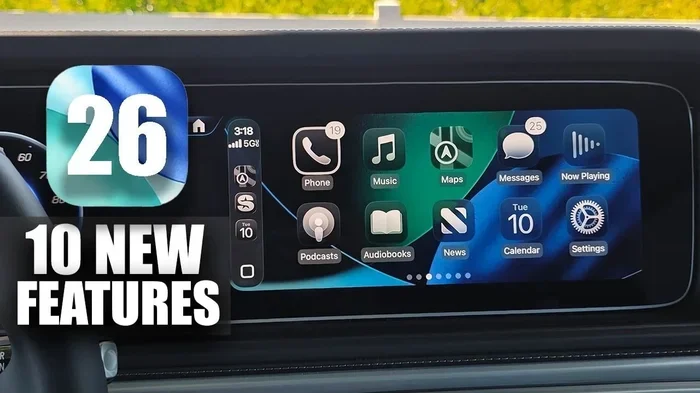
Let us start with the basics. Apple CarPlay is Apple’s smart interface that mirrors certain features from your iPhone onto your car’s display. It gives you access to Maps, Phone, Messages, Music, and many third-party apps right on the road. If your car does not have it, you are not stuck. There are real, practical ways to add it.
Key Takeaways
- Most cars can be upgraded: With the right aftermarket head unit or adapter, nearly any vehicle can support Apple CarPlay.
- Two main upgrade paths exist: You can replace the entire infotainment unit or use a plug-and-play CarPlay adapter.
- Wired vs wireless matters: Wireless CarPlay offers more convenience but may cost more than a wired setup.
- Check compatibility first: Not every car or stereo system supports every upgrade method, so verify before buying.
- Professional installation helps: While DIY is possible, a pro ensures clean wiring and optimal performance.
- Cost varies widely: Budget options start around $50, while premium units can cost $500 or more.
📑 Table of Contents
- What Is Apple CarPlay and Why Upgrade?
- Can Any Car Be Upgraded to Apple CarPlay?
- Wired CarPlay vs Wireless CarPlay: What Is the Difference?
- How to Upgrade Your Car to Apple CarPlay
- How Much Does It Cost to Upgrade to Apple CarPlay?
- Common Mistakes to Avoid When Upgrading
- Expert Tips for the Best CarPlay Experience
- Final Thoughts
What Is Apple CarPlay and Why Upgrade?
Apple CarPlay is more than just a fancy screen feature. It is a safety and convenience tool designed to keep your eyes on the road. When you connect your iPhone to CarPlay, your car’s display becomes a simplified version of your phone’s interface. You get large icons, voice control through Siri, and minimal distractions.
So why would someone want to upgrade their car to Apple CarPlay? Here are a few strong reasons:
- Better navigation: Apple Maps and Google Maps work seamlessly through CarPlay, giving you real-time traffic updates and voice-guided directions.
- Safer messaging: CarPlay reads your messages aloud and lets you respond using voice commands, so you keep your hands on the wheel.
- Better music access: Spotify, Apple Music, Podcasts, and other apps work directly on your car’s display through the car entertainment system.
- Smoother car connectivity: CarPlay integrates with your car’s buttons, steering wheel controls, and speakers for a unified experience.
- Higher resale value: Cars with smart infotainment features tend to sell faster and at better prices.
If your car was made before CarPlay became standard, you might feel left behind. But that does not mean you cannot enjoy these benefits. Upgrading your car’s infotainment system is one of the most rewarding changes you can make.
Can Any Car Be Upgraded to Apple CarPlay?
The short answer is yes, most cars can be upgraded. But the method you choose depends on your car’s make, model, year, and current infotainment setup. Let us break this down.
Cars With Aftermarket or Older Stereos
If your car has a standard aftermarket head unit or an older factory stereo, upgrading is usually straightforward. Many modern head units from brands like Pioneer, Sony, Alpine, and Kenwood come with Apple CarPlay built in. You simply remove the old unit, install the new one, and connect your iPhone.
When choosing a new head unit, look for one that supports wireless CarPlay if you want the convenience of not plugging in a cable every time. Some units also support Android Auto, giving you even more flexibility if you ever switch phones.
Cars With Factory Stereos That Lack CarPlay
Even if your car has a factory-installed stereo, you can still add CarPlay. Many car manufacturers offer factory retrofit kits that allow you to add smart features to an existing system. These kits vary by brand and model, so you will need to check with your dealer or a specialist.
For example, some cars from brands like Ford, Honda, Toyota, and BMW have specific CarPlay adapter modules that plug into the existing wiring harness. These modules add CarPlay capability without needing to replace the entire stereo. This is a great option if you want to keep your original car interior look.
Cars With Very Old or Basic Audio Systems
If your car has a very basic audio system with no screen at all, upgrading becomes a bit more involved. You will likely need to install a complete infotainment replacement unit that includes a screen. This is still very doable, but it requires more time and sometimes a bit more technical skill.
One thing to consider is the size of the screen. Many 7-inch touch screen for car units work well for CarPlay, giving you a clear and responsive display. If you also want better audio, you might look into a 7-inch music system for car that combines a touchscreen with quality speakers and amplifiers.
The good news is that the market for car display upgrades has grown a lot. You can find units that fit almost any dashboard, from compact sedans to larger SUVs. The key is measuring your dashboard opening and checking the unit’s compatibility before you buy.
Wired CarPlay vs Wireless CarPlay: What Is the Difference?
When you are shopping for a CarPlay upgrade, you will quickly notice two options: wired CarPlay and wireless CarPlay. Understanding the difference helps you pick the right setup for your needs.
Wired CarPlay
Wired CarPlay connects your iPhone to the car’s infotainment system using a USB cable. This is the older and more common method. It works reliably and is often less expensive than wireless options.
Here are some things to know about wired CarPlay:
- Connection is stable: A physical cable means fewer dropped connections or glitches.
- Charges your phone: Since the phone is plugged in, it charges while you drive, which is a big plus on long trips.
- Lower cost: Wired CarPlay units are generally cheaper than their wireless counterparts.
- Slightly less convenient: You need to plug and unplug the cable each time you get in and out of the car.
For many drivers, wired CarPlay is more than enough. It gets the job done without any extra cost. If you do not mind plugging in your phone, this is a solid choice.
Wireless CarPlay
Wireless CarPlay connects your iPhone to the car using Bluetooth or Wi-Fi. There is no cable needed, which makes the experience much more seamless. You get CarPlay the moment you sit behind the wheel.
Here are the benefits of wireless CarPlay:
- No cables to deal with: Just enter the car and CarPlay starts automatically.
- Cleaner dashboard: No USB cables hanging from the screen area.
- More convenient for daily use: Especially if you get in and out of the car frequently.
The downside is that wireless CarPlay units tend to cost more. They also need a stable Wi-Fi or Bluetooth connection, which can occasionally have minor hiccups. But for most people, the convenience far outweighs these small drawbacks.
| Feature | Wired CarPlay | Wireless CarPlay |
|---|---|---|
| Connection | USB cable | Bluetooth or Wi-Fi |
| Convenience | Moderate | High |
| Cost | Lower | Higher |
| Phone Charging | Yes | May need separate charger |
| Reliability | Very stable | Generally stable |
| Installation Complexity | Simple | Slightly more complex |
How to Upgrade Your Car to Apple CarPlay
Now that you understand the options, let us look at the actual steps to upgrade your car. There are three main approaches, and each has its own advantages.
Option 1: Replace the Head Unit
This is the most thorough upgrade. You replace your current car stereo with a new unit that has Apple CarPlay built in. Here is how it typically works:
- Research compatible units: Look for head units that support CarPlay and fit your car’s dashboard. Check the size, wiring, and features.
- Gather tools: You will need a dash removal kit, screwdrivers, and possibly a wiring harness adapter.
- Remove the old unit: Carefully take out the existing stereo. Take photos of the wiring before you disconnect anything.
- Install the new unit: Connect the new head unit using the wiring harness adapter. Mount it securely in the dashboard.
- Connect and test: Plug in your iPhone and test CarPlay. Make sure the screen, audio, and controls all work properly.
This option gives you the best experience because you get a brand-new display, better audio quality, and full CarPlay support. It does require some technical comfort, but many car owners handle it themselves with a little patience.
If you are not confident doing it yourself, a professional installer can handle the job. Many car care shops and audio specialists offer this service at reasonable rates. Just make sure to ask about their experience with CarPlay installations.
Option 2: Use a CarPlay Adapter
If you want to keep your current stereo, a CarPlay adapter is a great option. These small devices plug into your existing audio system and add CarPlay capability. They come in both wired and wireless versions.
Popular adapter brands include Carlinkit, AAXA, and AAuto. Here is what to expect:
- Easy setup: Most adapters plug directly into the factory USB port or auxiliary input.
- No major modification: Your car’s original stereo stays in place.
- Affordable: Adapters are often much cheaper than a full head unit replacement.
- Limited features: Some adapters may not support all CarPlay features or may have lower display quality.
A CarPlay adapter is ideal if your current stereo is still in good shape and you just want to add smart features without a full replacement. It is also a great choice for people who prefer a simpler, less invasive upgrade.
Option 3: Use a MirrorLink or Aftermarket Module
Some older cars do not support CarPlay directly but can use MirrorLink or aftermarket modules. MirrorLink is an older standard that mirrors your phone’s screen, but it is not as polished as CarPlay. Still, it can be a workable solution for very old vehicles.
Aftermarket modules are small boxes that sit behind the dashboard and add smart features to an existing system. They are less common now that CarPlay has become widespread, but they are still available for certain car models.
How Much Does It Cost to Upgrade to Apple CarPlay?
Cost is one of the biggest factors when considering any car upgrade. The good news is that upgrading to Apple CarPlay does not have to break the bank. Here is a rough breakdown of what you can expect.
Budget: CarPlay Adapters ($50-$150)
If you want the simplest and most affordable option, a CarPlay adapter is the way to go. These small devices can add basic CarPlay functionality to your existing system for a fraction of the cost of a full replacement. Keep in mind that the display quality and features may be limited compared to a full head unit.
Mid-Range: Aftermarket Head Units ($150-$500)
For a more complete upgrade, an aftermarket head unit with CarPlay support is the sweet spot. These units offer better displays, improved audio quality, and more features. Brands like Pioneer, Sony, and Alpine offer reliable options in this price range. If you also want to upgrade your car audio system, this is where you get the best value.
Premium: High-End Head Units ($500+)
If you want top-tier features like wireless CarPlay, large touchscreens, backup cameras, and premium audio processing, you will need to spend more. High-end units from brands like Alpine, Pioneer, and Kenwood offer the best experience but come at a higher price. Professional installation for these units may also add $100-$300 to the total cost.
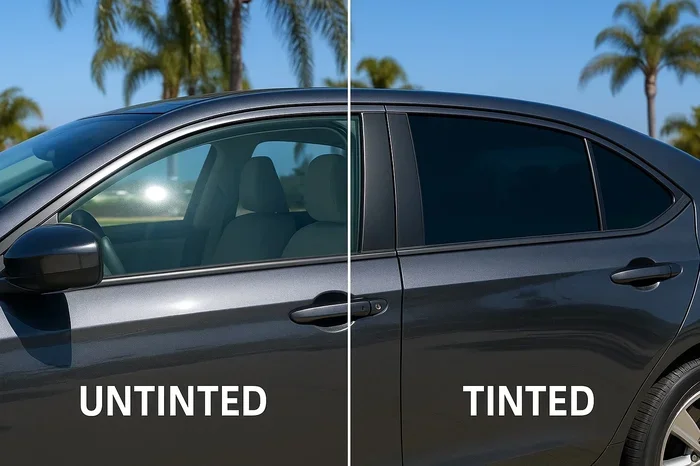
One thing to keep in mind is that adding accessories like a 3M anti-glare film for car windshield can improve your CarPlay display visibility, especially when driving in bright sunlight. It is a small addition that makes a big difference in screen clarity.
Common Mistakes to Avoid When Upgrading
Upgrading your car to Apple CarPlay is exciting, but there are some common mistakes that can cause problems. Here is what to watch out for:
- Buying without checking compatibility: Not every CarPlay unit fits every car. Always check the dimensions and wiring compatibility before purchasing.
- Ignoring the wiring harness: Using the wrong wiring harness can lead to loose connections, flickering screens, or even electrical issues. Always use the correct adapter for your car model.
- Skipping the antenna adapter: If your new head unit needs a different antenna connection, skipping the adapter can result in poor radio reception.
- Choosing wired over wireless without thinking: If you value convenience, wireless CarPlay is worth the extra cost. Do not settle for wired if you will be frustrated with cables every day.
- Forgetting about steering wheel controls: Some aftermarket units do not support steering wheel controls out of the box. Check if you need a separate control interface module.
- DIY without research: While many people successfully install head units themselves, rushing in without proper guidance can damage your dashboard or wiring.
Taking the time to plan your upgrade properly saves money, frustration, and potential damage to your car.
Expert Tips for the Best CarPlay Experience
Once you have upgraded your car to Apple CarPlay, a few tips can help you get the most out of it:
- Keep your iPhone updated: Apple regularly releases iOS updates that improve CarPlay performance and add new features. Always run the latest version.
- Use a quality USB cable: If you go with wired CarPlay, a good-quality cable ensures a stable connection and faster data transfer.
- Organize your CarPlay apps: Arrange your most-used apps on the CarPlay home screen for quick access while driving.
- Clean your screen regularly: A clean display makes CarPlay easier to read and use. Use appropriate cleaning products for your car’s display.
- Consider a 3M anti-glare film for car windshield: This can reduce glare on your dashboard screen, making CarPlay easier to see during daytime driving.
These small steps go a long way in making your car connectivity experience smooth and enjoyable every time you drive.
Final Thoughts
Upgrading your car to Apple CarPlay is one of the best improvements you can make for daily driving. It adds safety, convenience, and a modern feel to even older vehicles. Whether you choose a full head unit replacement, a simple adapter, or a wireless setup, the upgrade is well worth the investment.
The key is to understand your car’s current setup, choose the right method, and take your time with installation. With the right approach, you can enjoy all the benefits of Apple CarPlay without spending a fortune. Start by checking your car’s compatibility, pick an option that fits your budget, and enjoy a smarter, safer driving experience.
If you are still unsure about which route to take, visit a local car audio specialist or car care shop. They can assess your vehicle and recommend the best CarPlay upgrade for your specific model. The road to a smarter car starts with one decision, and today is the perfect day to make it.
Frequently Asked Questions
Can I add Apple CarPlay to any car?
Most cars can be upgraded to Apple CarPlay, but the method depends on your current infotainment system. Cars with older stereos may need a new head unit, while some can use a simple CarPlay adapter. Always check compatibility before purchasing any upgrade.
How much does it cost to install Apple CarPlay in a car?
The cost ranges from about $50 for a basic CarPlay adapter to $500 or more for a premium head unit. Professional installation may add $100-$300 depending on your car and the complexity of the job. Overall, it is an affordable upgrade that adds significant value.
Is wireless CarPlay better than wired CarPlay?
Wireless CarPlay offers more convenience since you do not need to plug in a cable every time. However, it costs more and may occasionally have minor connection issues. Wired CarPlay is more reliable and charges your phone at the same time. Choose based on your priorities and budget.
Can I install Apple CarPlay myself?
Yes, many car owners install CarPlay upgrades themselves, especially when replacing a head unit. However, if you are not comfortable with car electronics, it is best to hire a professional. A proper installation ensures clean wiring and optimal performance of your car entertainment system.
Does Apple CarPlay work with all iPhone models?
Apple CarPlay is compatible with most iPhone models from iPhone 5s and later. Make sure your iPhone is running a supported iOS version for the best experience. Older iPhones may have limited CarPlay features or may not support the latest CarPlay updates.
Will upgrading to Apple CarPlay void my car warranty?
In most cases, adding Apple CarPlay through an aftermarket unit or adapter does not void your warranty. However, if the installation causes damage to your car’s electrical system, it could affect coverage. Always check with your dealer and consider professional installation to avoid any issues.