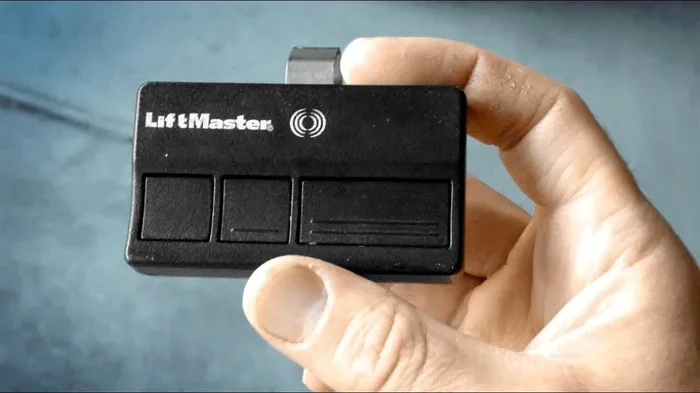
Can You Program a Car to a Garage Door Opener Remote
Yes, you can program a car to a garage door opener remote, and the process is simpler than most drivers think. Most modern vehicles come built-in with HomeLink or similar systems that let you sync your garage door opener directly to your car console. Whether you drive a Toyota, Ford, Honda, or Chevrolet, our guide walks you through the exact steps to get it done in minutes.
Have you ever pulled into your driveway and wished you could open the garage door without digging through your glove box for a remote? Programming your car to a garage door opener remote is one of those small upgrades that makes daily life so much more convenient. The good news is that most modern vehicles support this feature right out of the box.
Whether you just bought a new car or have been driving the same vehicle for years, setting up a garage door connection is easier than you might expect. In this guide, we will walk you through everything you need to know. From understanding how car garage door systems work to troubleshooting common problems, we have you covered.
The process varies slightly depending on your car’s make and model, but the core steps remain the same across most vehicles. By the end of this article, you will know exactly how to sync your garage door opener with your car and enjoy hands-free access every time you pull into the driveway.
Key Takeaways
- Universal Compatibility: Most cars made after 2000 support built-in garage door programming through systems like HomeLink.
- Simple Process: Programming typically takes under 10 minutes and requires no special tools.
- Multiple Methods: You can use the car’s built-in system, a universal remote, or a smartphone app depending on your vehicle.
- Security Matters: Rolling code technology keeps your garage door secure and prevents unauthorized access.
- Reset When Needed: You can easily erase and reprogram your car’s garage door buttons if you change your opener or sell your vehicle.
📑 Table of Contents
- What Is Car-to-Garage Door Opener Programming?
- How Does Car Garage Door Integration Work?
- Step-by-Step Guide to Programming Your Car
- Common Car Brands and Their Programming Methods
- Troubleshooting Common Issues
- Tips for Maintaining Your Car Garage Door Remote System
- Expert Insights on Car Garage Door Programming
- Key Takeaways
What Is Car-to-Garage Door Opener Programming?
Car-to-garage door programming means linking your vehicle’s built-in system to your garage door opener. This creates a seamless connection so you can open and close your garage right from the car console. Most vehicles use a HomeLink system or a similar proprietary technology to achieve this.
Instead of fumbling for a handheld remote, you simply press a button on your car’s sun visor, console, or infotainment screen. The car sends a signal to your garage door opener, and the door responds. It is a small convenience that saves time and adds real value to your daily routine.
Many people also wonder whether this feature works with all garage door brands. The answer is mostly yes. Universal garage door openers are designed to work with virtually any brand, including Chamberlain, LiftMaster, Genie, and Craftsman. You just need to follow the correct programming steps for your specific vehicle.
How HomeLink and Similar Systems Work
HomeLink is the most widely recognized car garage door integration system. It comes standard in many luxury and mid-range vehicles. The system uses three frequency bands to communicate with garage door openers. This broad frequency support is what makes it so universally compatible.
Newer vehicles may also offer smart garage door features through their infotainment systems. These systems connect via Bluetooth or Wi-Fi and allow you to control your garage door through a car touch screen interface. If your car has a 7-inch touch screen for car or a similar display, there is a good chance it supports advanced garage door integration.
How Does Car Garage Door Integration Work?
Understanding how the technology works helps you troubleshoot issues later. The basic idea is straightforward. Your car has a small transmitter inside it. When you press the programmed button, the transmitter sends a radio signal to your garage door opener receiver. The receiver picks up the signal and activates the door motor.
There are two main types of garage door opener signals. The first is a fixed code system, which uses the same code every time. The second is a rolling code system, which changes the code each time you use the remote. Rolling code is more secure and is now standard in most modern garage door openers.
When you program your car, the system learns the rolling code from your opener. This ensures that only your car can communicate with your specific garage door. It is a clever security feature that keeps your home safe.
Key Components Involved
Let us break down the main parts involved in this setup:
- Car Transmitter: The small chip inside your vehicle that sends the signal when you press the HomeLink button.
- Garage Door Opener Receiver: The unit mounted on your garage ceiling that receives signals from remotes and car systems.
- Wall Control Panel: The button panel mounted inside your garage that also controls the door.
- Rolling Code Module: The security component inside your opener that generates new codes for each use.
All of these components work together to create a reliable connection. If any one of them is malfunctioning, the programming may not work correctly. This is why it is important to ensure your garage door opener is functioning properly before you begin the programming process.
Step-by-Step Guide to Programming Your Car
Now let us get into the practical part. Below is a general step-by-step process that works for most vehicles. Always refer to your vehicle owner manual for model-specific instructions, as slight variations exist between brands.
Step 1: Locate the HomeLink Buttons
First, find the HomeLink buttons in your car. They are typically located on the sun visor, the overhead console, or near the rearview mirror. Some vehicles place them on the dashboard or the center console. If you cannot find them, check your owner manual or look for a small button with a garage door icon.
You will usually see three HomeLink buttons arranged in a row. These correspond to three different garage doors or gates you can program. Most people use the first button for their home garage.
Step 2: Clear Existing Programming
Before programming a new opener, you should clear any existing settings. To do this, press and hold the two outer HomeLink buttons simultaneously for about 10 seconds. The indicator light will flash, and the system will reset. This ensures a clean slate for the new programming.
If you are working with a used car, this step is especially important. The previous owner may have programmed their own garage door, and you want to start fresh.
Step 3: Put Your Garage Door Opener in Programming Mode
Next, you need to put your garage door opener into learning mode. The method varies by brand:
- Chamberlain/LiftMaster: Press and release the “Learn” button on the back of the motor unit. The indicator light will glow for about 30 seconds.
- Genie: Press the “Learn Code” button on the back of the motor. The LED will blink rapidly.
- Craftsman: Press the “Learn” button on the side of the motor unit. The LED will light up solid.
Work quickly during this step because the learning window is usually short. You want to complete the next step before the timer runs out.
Step 4: Send the Signal from Your Car
Now go back to your car. Press and hold the HomeLink button you want to program. At the same time, bring your car very close to the garage door opener unit. Hold the HomeLink button until the indicator light changes from slow blinking to fast blinking. This usually takes about 20 to 30 seconds.
Some vehicles require you to press the HomeLink button three times in quick succession. Check your car manual for the specific method. The fast blinking light confirms that the car has successfully captured the opener’s signal.
Step 5: Test the Connection
Once programming is complete, drive your car out of the garage and test the connection. Press the newly programmed HomeLink button. Your garage door should respond and start to open. If it does not work, repeat the steps and make sure you are within close range of the opener unit during programming.
Step 6: Program Additional Buttons if Needed
Most HomeLink systems allow you to program up to three buttons. This is handy if you have multiple garage doors or gates on your property. Simply repeat the process for each button, using a different opener for each one.
Common Car Brands and Their Programming Methods
While the general process is similar, different car brands have slightly different approaches. Here is a closer look at how some popular brands handle garage door programming.
Ford Vehicles
Ford vehicles use the MyFord Touch or SYNC infotainment system for garage door integration. Newer Ford models may also support smartphone-based control through the FordPass app. For older models, the HomeLink system on the sun visor is the standard method. Ford’s built-in system is reliable and straightforward to set up.
Toyota and Lexus
Toyota and Lexus vehicles feature the HomeLink system on the sun visor. Some higher-end Lexus models also offer a smart garage door feature through their infotainment screen. Programming is generally the same across the Toyota lineup, making it a consistent experience for owners.
Chevrolet and GMC
GM vehicles use the HomeLink system as well. Some newer Chevrolet and GMC trucks include a remote start feature that can also interact with garage door openers. The programming steps are standard and easy to follow.
Honda and Acura
Honda and Acura vehicles come equipped with HomeLink on the sun visor. Programming follows the same general steps outlined above. Honda owners report that the process is quick and typically works on the first attempt.
Troubleshooting Common Issues
Sometimes things do not go as smoothly as we hope. Here are the most common problems people face when programming a car to a garage door opener and how to fix them.
The Car Does Not Detect the Garage Door Signal
This is the most common issue. It usually happens when the car is too far from the opener during programming. Make sure you are parked very close to the garage door motor unit. Also check that the opener is in learning mode and that the learning window has not expired.
Another cause could be interference from other electronic devices. Turn off nearby devices and try again. If you recently installed a new 3M anti glare film for car windshield, it might block the signal in rare cases. Remove any metallic or thick window treatments near the car’s transmitter area.
The Garage Door Opens but Does Not Close
This usually indicates a partial programming issue. Clear the existing HomeLink programming and start fresh. Make sure you are holding the HomeLink button long enough during the signal transmission step. A short press may not capture the full rolling code.
The HomeLink Button Flashes but Nothing Happens
A flashing light means the car is trying to send a signal but the garage door opener is not receiving it. Double-check that your opener is in learning mode. Also verify that the opener’s antenna is properly connected and not damaged. Sometimes simply replacing the opener’s antenna solves the problem.
Interference from Neighboring Garage Doors
If your garage door responds to your car but also opens when a neighbor uses their opener, you may have a frequency conflict. In this case, you should reprogram your system and ensure your opener is set to a unique frequency. Modern rolling code systems largely prevent this, but older openers may still experience interference.
Tips for Maintaining Your Car Garage Door Remote System
Once you have successfully programmed your car, a little maintenance goes a long way in keeping everything working smoothly. Here are some practical tips.
Keep the HomeLink Buttons Clean
Dust and dirt can build up around the HomeLink buttons over time. Use a soft cloth to wipe them down regularly. If the buttons feel sticky or unresponsive, a gentle cleaning with a 3M car rubbing compound on a microfiber cloth can restore their responsiveness without damaging the surrounding surface.
Update Your Garage Door Opener Firmware
Many modern garage door openers receive firmware updates that improve compatibility and security. Check your opener manufacturer’s website periodically for updates. An up-to-date opener ensures smooth communication with your car’s HomeLink system.
Replace the Car Battery in the Remote System
The small battery inside your car’s HomeLink transmitter can weaken over time. If you notice a delay or failure in response, try replacing the battery. This is a simple fix that most car owners can do themselves in seconds.
Erase Programming When Selling Your Car
If you sell your vehicle or lease a new one, always erase your garage door programming first. This protects your home security. Clearing the HomeLink system takes just a few seconds and ensures the next driver does not have access to your garage.
Consider a Universal Remote as Backup
Even with car programming, it is wise to keep a universal garage door remote as a backup. If your car’s system ever fails or you sell the car, a universal remote keeps you covered. These remotes work with almost any garage door brand and cost very little.
Expert Insights on Car Garage Door Programming
Automotive technology experts agree that car-to-garage door integration is one of the most underutilized convenience features in modern vehicles. Many drivers go years without ever programming their HomeLink system, even though it takes less than 10 minutes.
Security professionals also recommend using rolling code technology whenever possible. Fixed code openers are vulnerable to code grabbers, which are devices that intercept and replay your remote signal. Rolling code systems generate a new code every time, making them virtually impossible to hack. If your garage door opener is older and uses fixed codes, consider upgrading to a modern rolling code model.
Another expert tip is to program your car garage door buttons during daylight hours. It is easier to see the indicator lights on both your car and your garage door opener. This small detail can save you frustration and help you complete the process on the first try.
Key Takeaways
- Easy to Program: Most cars made after 2000 support garage door programming through HomeLink or similar systems.
- Works with All Major Brands: Chamberlain, Genie, LiftMaster, Craftsman, and other brands are all compatible with car programming systems.
- Rolling Code Security: Modern systems use rolling codes that change every time, keeping your garage secure from unauthorized access.
- Troubleshooting is Simple: Most issues are caused by distance, interference, or expired learning windows, and are easy to fix.
- Regular Maintenance Helps: Keeping buttons clean, updating firmware, and replacing batteries ensures long-lasting performance.
- Always Erase When Selling: Protect your home security by clearing garage door programming before parting with your vehicle.
Frequently Asked Questions
Can any car be programmed to a garage door opener?
Most cars manufactured after 2000 come with built-in garage door programming, usually through a HomeLink system. If your vehicle does not have HomeLink, you can install an aftermarket universal remote that integrates with your car’s electrical system. Check your vehicle owner manual to confirm compatibility.
How long does it take to program a car to a garage door opener?
The entire process typically takes between 5 and 10 minutes. The actual programming steps are quick, but you may need extra time if you need to clear existing programming or troubleshoot connection issues. Having your garage door opener’s manual handy can speed things up.
Is programming my car to a garage door opener safe?
Yes, it is very safe. Modern systems use rolling code technology that changes the access code every time you use it. This prevents unauthorized access and ensures that only your programmed car can open your garage door. Always use rolling code openers for the best security.
Can I program more than one garage door to my car?
Most HomeLink systems allow you to program up to three garage doors or gates. Each button on the HomeLink panel can be set to a different opener. This is useful if you have multiple garage doors, a gate, or a secondary storage unit with a door opener.
What should I do if my car’s HomeLink button stops working?
First, try resetting the HomeLink system by holding the two outer buttons for 10 seconds. If that does not work, check the small battery inside the HomeLink transmitter and replace it if needed. You may also need to reprogram the entire system from scratch following the standard steps.
Do I need any special equipment to program my car to a garage door?
No special equipment is needed. Your car’s built-in HomeLink system and your garage door opener are all you need. Just make sure your garage door opener is in learning mode and that your car is parked close to the opener unit during programming. A vehicle owner manual is helpful but not required.
=== CONCLUSION ===
Programming your car to a garage door opener remote is one of the simplest yet most rewarding upgrades you can make to your daily driving routine. The process is quick, the technology is reliable, and the convenience is undeniable. No more searching for remotes or worrying about leaving them in the house.
Whether you drive a Ford, Toyota, Chevrolet, Honda, or any other major brand, your vehicle likely supports garage door integration through a built-in system like HomeLink. With just a few simple steps, you can enjoy hands-free garage access every time you arrive home.
Remember to keep your system maintained, erase programming when selling your car, and always use rolling code technology for the best security. If you run into any issues, the troubleshooting tips in this guide should help you resolve them quickly.
Take a few minutes today to set up your car’s garage door integration. Once it is done, you will wonder how you ever managed without it. The small effort pays off every single time you pull into your driveway.