How Do You Tune a Car Radio to Find a Specific Station
Tuning a car radio to a specific station is simple once you understand the basics of AM and FM bands, manual tuning, and auto-scan features. This guide walks you through every method so you can find your favorite station quickly. We also share expert tips for improving reception and fixing common problems.
Have you ever been driving down the road and wanted to lock into your favorite song, but the radio just would not cooperate? Maybe the dial was stuck between stations, or the signal kept fading in and out. Tuning a car radio to a specific station does not have to be frustrating. Whether you drive a classic car with a basic dial or a modern vehicle with a touchscreen, this guide will show you exactly how to get crystal-clear sound every time.
In this article, we cover everything from the basics of how car radios work to advanced tips for better reception. You will learn manual tuning, auto-scan methods, how to set presets, and how to fix common problems. By the end, you will be able to find any station in seconds. Let us get started.
Key Takeaways
- Manual tuning lets you fine-tune to the exact frequency you want.
- Auto-tune and scan features save time by finding all available stations automatically.
- Setting presets means your favorite stations are always one button away.
- Antenna condition plays a huge role in how clearly you receive radio stations.
- HD Radio and digital tuning offer clearer sound and more station options in newer cars.
- Common interference issues like static can often be fixed with simple adjustments.
📑 Table of Contents
How Car Radios Work: The Basics
Before you learn how to tune, it helps to understand what is happening behind the scenes. Your car radio picks up radio waves floating through the air. These waves carry audio signals from broadcast towers. Your radio catches them, decodes them, and turns them into sound through your speakers.
There are two main bands most car radios use. Each band works differently and serves a different purpose.
AM vs FM Radio Bands
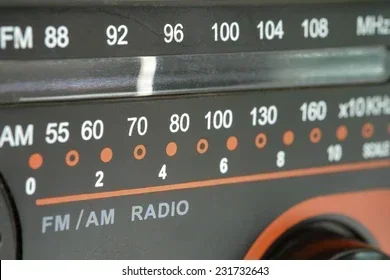
AM radio stands for Amplitude Modulation. It uses lower frequencies, usually between 530 kHz and 1700 kHz. AM stations often cover longer distances, especially at night. They are great for talk shows, news, and sports commentary. However, AM signals can be more prone to interference and static.
FM radio stands for Frequency Modulation. It uses higher frequencies, typically between 88 MHz and 108 MHz. FM offers better sound quality and less static. Most music lovers prefer FM for its clearer audio. The trade-off is that FM signals do not travel as far as AM signals.
Knowing which band your station is on makes tuning much easier. If you are looking for a music station, start with FM. For talk radio or sports, try AM first.
How Your Car Radio Receives Signals
Your car has a small antenna, usually mounted on the roof or fender. This antenna captures radio waves from broadcast towers in your area. The radio unit inside the dashboard processes these waves and sends the audio to your speakers. The better your antenna, the stronger your signal will be.
Modern cars may also have internal antennas built into the windshield or rear window. These work well but can sometimes be less effective than traditional external antennas. If you notice poor reception, the antenna might be the culprit.
Step-by-Step Guide to Tuning Your Car Radio
Now that you understand the basics, let us get into the actual process. There are several ways to tune your car radio. The method you choose depends on your car’s age and features.
Method 1: Using the Manual Tune Button
Manual tuning gives you the most control. You can dial in the exact frequency you want. Here is how to do it:
- Step 1: Turn on your car radio.
- Step 2: Select the band you want. Press the AM or FM button on your radio.
- Step 3: Look for the tuning controls. These are usually arrows or a knob on the radio face.
- Step 4: Press the up or down arrow slowly. You will see the frequency numbers change on the display.
- Step 5: Stop when you hear the station clearly. The frequency displayed is the exact channel you are tuned to.
Manual tuning takes a bit of patience, but it is the best way to find a station that is just slightly off from a preset. You can fine-tune between preset points and lock in the clearest signal possible.
Method 2: Using Auto-Tune or Scan
If you do not want to fiddle with the dial, most modern radios have an auto-tune or scan feature. This is the quickest way to find stations. Here is what to do:
- Step 1: Press the Scan or Auto Tune button on your radio.
- Step 2: The radio will automatically move through frequencies.
- Step 3: When it finds a strong enough signal, it will pause and play the station.
- Step 4: Press Scan again or wait for it to move to the next station.
The scan feature is great for discovering new stations in your area. However, it may skip over weak stations. If you know a station is there but the signal is faint, manual tuning works better.
Method 3: Setting and Using Radio Presets
Presets are a game-changer for daily driving. They let you save your favorite stations so you can access them instantly. Here is how to set them:
- Step 1: Tune to the station you want to save using manual or auto-tune.
- Step 2: Look for a Preset, Memory, or Save button.
- Step 3: Press and hold the preset number you want to assign (usually 1 through 6).
- Step 4: Release the button. The station is now saved to that preset.
Next time you want that station, just press the preset number. It is instant. Most car radios let you save 6 to 12 presets. Use them for your most-listened stations. This is especially handy when you are driving long distances and do not want to keep searching for the same channel.
Tips for Better Radio Reception
Sometimes you tune in perfectly but the sound is fuzzy or full of static. Poor reception can ruin the experience. Here are some tips to improve your signal.
Check Your Antenna
The antenna is the most important part of your radio system. If it is damaged or loose, your reception will suffer. Walk around your car and look at the antenna. Check for any visible damage like bends, rust, or loose connections.
If your antenna is retractable, make sure it is fully extended when you are driving. A partially retracted antenna can significantly reduce your signal strength. For older cars, replacing a worn antenna is inexpensive and easy to do.
Reduce Interference from Other Electronics
Other electronics in your car can interfere with radio signals. Things like phone chargers, dash cams, and even LED lights can cause static. If you notice interference, try turning off accessories one by one to find the source.
Also, driving near tall buildings, mountains, or tunnels can block signals. Once you clear the obstacle, your reception should return to normal.
Consider Upgrading Your Audio System
If your car has an older radio, upgrading the whole system can make a big difference. A modern 7-inch music system for car can offer much better radio reception and sound quality. These systems also often include Bluetooth, USB inputs, and touchscreen controls that make tuning even easier.
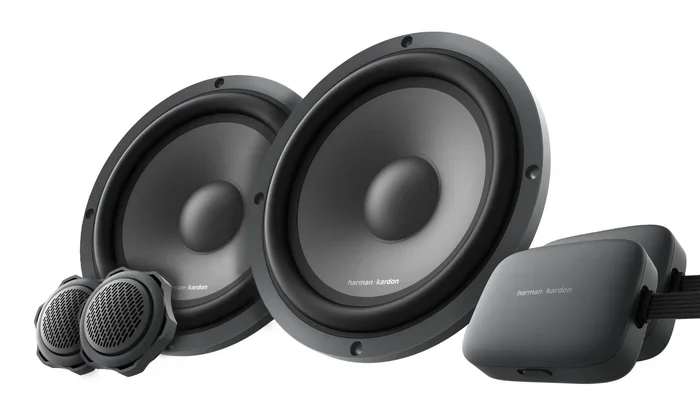
Similarly, adding a quality 6-inch car woofer to your setup can improve the bass response of your radio audio. You do not need a full sound system upgrade to notice a difference. Even one good speaker can enhance your listening experience significantly.
Modern Car Radio Features You Should Know
Car radios have come a long way. Newer models offer features that make tuning easier and more precise. Let us look at some of the most useful ones.
Touch Screen Radios
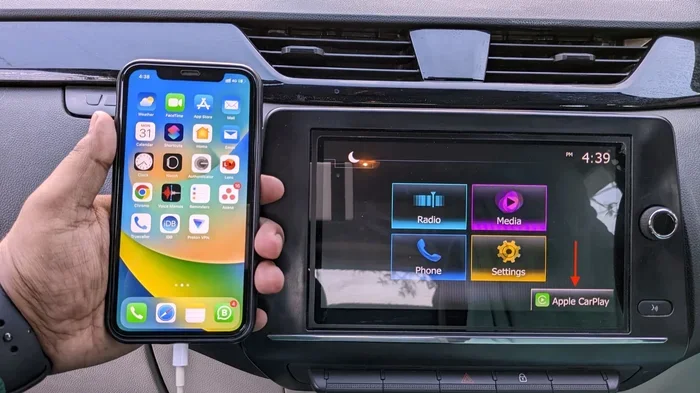
Many newer cars come with touchscreen car radios. These let you tap to tune instead of pressing buttons or turning knobs. You can see the frequency display clearly and scroll through stations with a swipe of your finger.
Touch screen radios often include station lists, so you can see all available stations in your area at a glance. You simply tap the one you want. This is especially helpful when you are traveling in an unfamiliar area and want to find local stations quickly.
HD Radio Technology
HD Radio is a digital broadcasting technology that offers clearer sound and more station options. With HD Radio, each frequency can carry multiple channels. For example, one FM station might have HD1, HD2, and HD3 sub-channels. Each sub-channel plays different content.
To use HD Radio, you need a radio that supports it. Many cars made after 2014 include HD Radio as standard. Look for the HD symbol on your radio display. When you find an HD station, you will notice the sound quality is noticeably better than regular FM or AM.
Bluetooth and Streaming Integration
While not traditional radio, many modern car systems let you stream music through Bluetooth or apps. This is not the same as tuning to a broadcast station, but it solves the same problem. You get to listen to exactly what you want without searching for a signal.
Some systems also allow you to save streaming stations as presets. This means your favorite online stations are just one button away, just like traditional radio stations.
Troubleshooting Common Radio Problems
Even with the best setup, you can run into radio issues from time to time. Here are the most common problems and how to fix them.
Why Can’t I Find My Station?
If you cannot find a station that used to come in clearly, several things could be at play. First, check your antenna connection. A loose antenna cable is one of the most common causes of lost reception. Simply unplugging and replugging the cable can restore your signal.
Second, consider your location. Broadcast towers have limited range. If you have moved to a new area, your favorite station may not reach you there. Third, the station itself may have changed its frequency. Many stations have shifted frequencies in recent years, so double-check the frequency online.
Why Is There So Much Static?
Static usually comes from a weak signal or interference. Start by checking your antenna. A damaged or corroded antenna will cause static on all stations. If the antenna looks fine, try reducing electronic interference in your car.
Weather can also cause static. Thunderstorms and heavy rain can disrupt radio signals temporarily. If the static goes away when the weather clears, you know what the cause was.
When Should You See a Professional?
If you have tried everything and your radio still does not work, it is time to see a professional. A faulty radio unit, a broken antenna motor, or a wiring issue may need expert attention. A good auto electronics shop can diagnose the problem quickly and get you back to clear sound.
Do not keep driving with a broken radio if you rely on it for traffic updates or emergency broadcasts. Getting it fixed is worth the effort and the peace of mind.
Quick Tips for Tuning Success
- Tune slowly when using manual mode. Small adjustments make a big difference.
- Save your presets after you find a clear signal so you do not have to search again.
- Check your antenna regularly for damage or corrosion.
- Use the scan feature when you are in a new area and want to discover local stations.
- Keep your radio clean. Dust and debris can affect buttons and knobs over time.
- Try both AM and FM for the same station. Sometimes one band has a clearer signal than the other.
Conclusion
Tuning a car radio to a specific station is a straightforward skill once you know the methods. Whether you prefer manual tuning for precision, auto-scan for convenience, or presets for speed, there is an approach that fits every driver. Understanding how your radio works and keeping your antenna in good shape will make a world of difference in sound quality.
Modern features like touch screen controls, HD Radio, and Bluetooth streaming have made it even easier to find and enjoy your favorite stations. And when problems do arise, most are simple to fix with basic troubleshooting. Keep this guide handy, and you will never struggle with your car radio again. Happy listening.
Frequently Asked Questions
What is the easiest way to tune a car radio to a specific station?
The easiest way is to use the auto-tune or scan feature. Press the Scan button on your radio, and it will automatically search for available stations. When it finds one, it will pause and play. This method works well if you want to discover stations quickly without manually adjusting the dial.
Why does my car radio have static when I tune to a station?
Static usually happens because of a weak signal or interference. Check your antenna first to make sure it is not damaged or loose. Other causes include nearby electronics creating interference, bad weather, or driving in an area far from broadcast towers. Fixing the antenna or reducing electronic devices nearby often solves the problem.
How do I save a radio station as a preset on my car radio?
First, tune to the station you want to save. Then press and hold the Preset or Memory button. Choose a number from 1 to 6 (or higher depending on your radio). Release the button, and the station is saved. Next time, just press that number to tune directly to the station.
Can I tune to a station that is not showing up on my radio?
Yes, you can. Use manual tuning to slowly scroll through frequencies. Some stations may be just between preset points. Also, check if the station has changed its frequency recently. Searching online for the station’s current frequency can help you find it manually.
What is HD Radio and how does it improve tuning?
HD Radio is a digital broadcasting technology that provides clearer sound and additional channels on the same frequency. It reduces static and offers better audio quality compared to traditional AM or FM. To use it, you need a radio that supports HD Radio. Look for the HD symbol on your display and tune to the HD sub-channels for a premium listening experience.
Does the car antenna really affect radio tuning?
Yes, the antenna plays a huge role in radio reception. A damaged, loose, or corroded antenna will weaken your signal and cause poor tuning. Even a partially retracted antenna can reduce reception quality. Regularly inspecting and maintaining your antenna is one of the simplest ways to keep your radio sounding clear.
=== META DESCRIPTION ===
Learn how to tune a car radio to find a specific station with our easy step-by-step guide. Discover tips for better reception, presets, and troubleshooting common radio issues.
=== URL SLUG ===
how-to-tune-car-radio-find-specific-station
=== SEO TITLE ===
How Do You Tune a Car Radio to Find a Specific Station
=== META TITLE ===
How to Tune a Car Radio to Find a Specific Station
=== OPENING SUMMARY ===
Tuning a car radio to find a specific station is a simple skill every driver should master. Whether you use manual tuning, auto-scan, or presets, this guide covers every method step by step. You will learn how AM and FM bands work, how to improve reception, and how to fix common static problems. We also share expert tips for modern features like HD Radio and touch screen radios. By the end, you will find any station in seconds and enjoy clear, static-free sound every time you drive.