How Much Does It Cost to Add a Navigation System to Your Car
Adding a navigation system to your car can cost anywhere from under $100 for a simple phone mount to over $2,000 for a full factory-level upgrade. The price depends on whether you choose a portable GPS unit, an aftermarket infotainment system, or a professional OEM retrofit. This guide covers every option so you can make a smart, budget-friendly choice.
Have you ever been driving somewhere new and wished you had a car navigation system guiding you turn by turn? You are not alone. Millions of drivers feel the same way every day. Whether you just bought an older car without GPS or you want to upgrade your current setup, the question on your mind is probably simple: how much does it cost to add a navigation system to your car?
The good news is that there are more options than ever before. You do not need to spend a fortune to get reliable GPS navigation in your vehicle. From budget-friendly phone apps to premium aftermarket infotainment systems, there is a solution for every wallet. In this guide, we will walk through all the choices, break down the costs, and help you decide what makes the most sense for your car and your needs.
Key Takeaways
- Portable GPS units are the cheapest option, starting around $50 to $200.
- Aftermarket head units with built-in GPS run between $200 and $800.
- Factory-style OEM navigation upgrades can cost $500 to $2,000 or more.
- Smartphone-based navigation is the most affordable and flexible choice.
- Professional installation adds $100 to $300 on top of the device cost.
- Map updates and subscriptions may add ongoing costs you should plan for.
- Your vehicle type and tech compatibility play a big role in the final price.
📑 Table of Contents
- Why a Navigation System Makes Driving Easier
- Types of Navigation Systems You Can Add to Your Car
- Breaking Down the Costs: What You Actually Pay For
- How to Choose the Right Navigation System for Your Budget
- Common Mistakes People Make When Adding Navigation
- Quick Tips for Getting the Most Out of Your Navigation System
- Expert Insight: Is It Worth the Investment?
- Final Thoughts
Why a Navigation System Makes Driving Easier
Before we dive into costs, let us talk about why a navigation system is worth having in the first place. A good GPS navigation unit does more than just tell you where to go. It saves you time, reduces stress, and can even help you save money on fuel by finding the most efficient routes.
Here are some real benefits of having GPS directions in your car:
- No more getting lost. You always know exactly where you are and how to reach your destination.
- Faster routes. A GPS tracker can reroute you around traffic jams and road closures in real time.
- Discover new places. Navigation systems often suggest restaurants, gas stations, and attractions nearby.
- Safer driving. You keep your eyes on the road instead of fumbling with a phone map.
- Better fuel efficiency. The shortest route means less time on the road and less fuel burned.
If you drive a hybrid vehicle, you might already know that efficiency matters a lot. At what speed a hybrid switches from electric to gas, navigation can help you plan routes that keep you in electric mode longer. A navigation system is not just a convenience, it is a tool that makes every trip better.
Types of Navigation Systems You Can Add to Your Car
Not all navigation systems are the same. Before you decide on a budget, you need to understand the different types available. Each option has its own price range, features, and level of complexity.
Portable GPS Units
Portable GPS devices are the oldest and most affordable type of car navigation. These are standalone units you mount on your dashboard or windshield. They come preloaded with maps and usually have a small screen, typically 4 to 7 inches wide.
These units are great because they are easy to move between cars. You can take them out when you park and bring them inside. Popular brands include Garmin and TomTom. Most portable units cost between $50 and $200, making them the most budget-friendly option.
However, portable GPS units have some downsides. The screens are small compared to built-in systems. They can slide around on your dashboard. And they do not integrate with your car’s audio system the way a head unit does. Still, for simple directions at a low price, they work well.
Aftermarket Infotainment Head Units
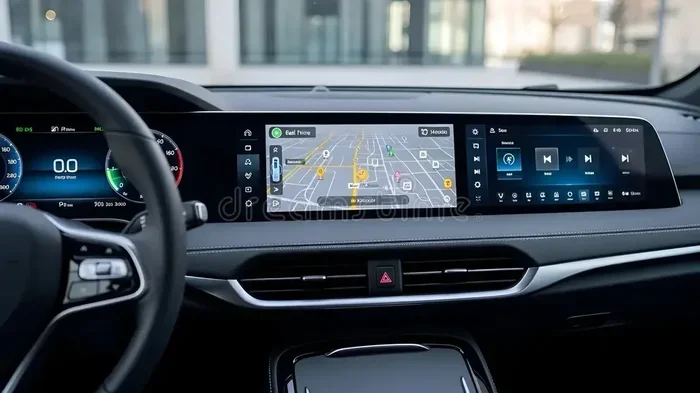
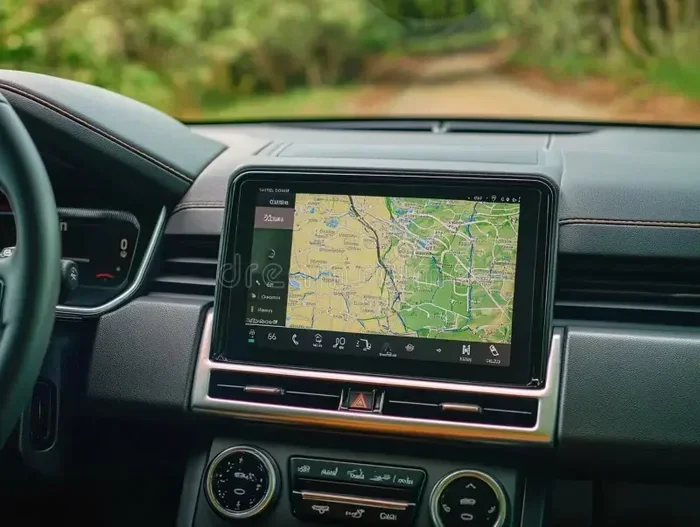
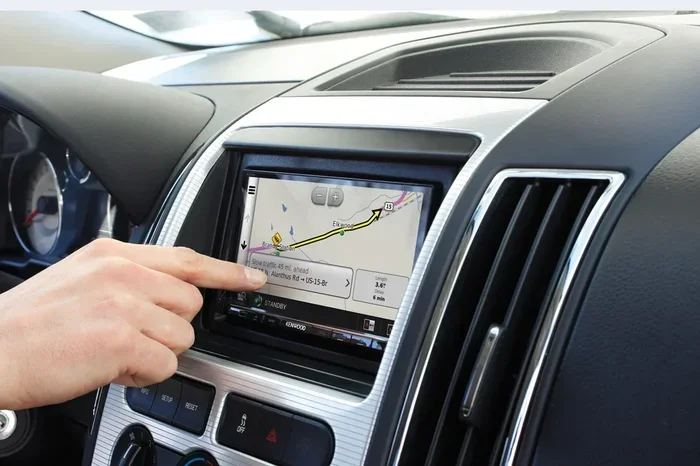
An aftermarket infotainment system replaces your factory radio with a new unit that has a large touch screen and built-in GPS. These are the most popular choice for car owners who want a permanent, integrated navigation experience.
Most aftermarket head units come with features like:
- Touch screen displays ranging from 6 to 10 inches.
- Bluetooth connectivity for hands-free calling and audio streaming.
- Smartphone integration through Apple CarPlay or Android Auto.
- Built-in GPS with live traffic updates.
- Backup camera inputs for added safety.
- USB and AUX ports for charging and music playback.
The price for a quality aftermarket navigation head unit ranges from about $200 to $800. Higher-end models with larger screens and more features sit at the top of that range. Brands like Pioneer, Kenwood, and Sony offer reliable options at various price points.
Factory-Style OEM Navigation Retrofits
If you want the look and feel of a factory navigation system without buying a whole new car, an OEM retrofit is the way to go. This involves installing a navigation unit designed specifically for your car model. It fits perfectly into your dashboard and matches the original design.
These systems often include features like:
- Seamless integration with your car’s existing controls.
- High-resolution displays that match the factory screen quality.
- Voice command features for hands-free operation.
- Premium map data with regular updates.
The catch? OEM navigation retrofits are the most expensive option. You can expect to pay between $500 and $2,000 or more, depending on your vehicle make and model. If you have a luxury or rare vehicle, the cost can go even higher. But the result looks and feels like it came straight from the factory.
Smartphone-Based Navigation
Let us not forget the simplest option of all: using your phone. Apps like Google Maps, Apple Maps, and Waze offer excellent GPS navigation for free. All you need is a phone mount and a way to charge your device while driving.
The cost here is minimal. A good phone mount costs around $10 to $30. If you want a better experience, you can buy a car charger for about $15 to $25. Some drivers also invest in a 7-inch music system for car that pairs with their phone for better audio quality. You can learn more about that option right here.
The downside of smartphone navigation is that it drains your battery and uses your data plan. It also requires you to hold or mount your phone, which can be distracting. But for many drivers, the zero cost of the app itself makes this the most appealing choice.
Breaking Down the Costs: What You Actually Pay For
Now let us get into the numbers. The total cost of adding a navigation system to your car goes beyond just the price of the device. There are several components that add to the final bill.
Device Cost
The device itself is the biggest single expense. Here is a quick comparison of the different options:
| Type | Price Range | Best For |
|---|---|---|
| Portable GPS Unit | $50 – $200 | Budget-conscious drivers who want simple directions |
| Aftermarket Head Unit | $200 – $800 | Drivers who want a permanent, feature-rich system |
| OEM Retrofit Unit | $500 – $2,000+ | Owners who want a factory-quality, seamless look |
| Smartphone App + Mount | $10 – $50 | Drivers who already have a good smartphone |
Installation Costs
Installation is where costs can add up quickly. If you buy a portable GPS unit, you can install it yourself in seconds. No professional help needed. But for aftermarket head units and OEM retrofits, professional installation is strongly recommended.
Professional installation typically costs between $100 and $300. The price depends on the complexity of the job. A simple head unit swap on a common car model is on the lower end. If your vehicle has a complex dashboard layout or requires wiring harness adapters, the cost goes up. Some installers also charge extra for adding backup cameras or integrating steering wheel controls.
If you are handy with tools, you can save money by installing the unit yourself. Many aftermarket head units come with plug-and-play wiring harnesses that make DIY installation possible. However, if you are not comfortable working with car electronics, it is worth paying for professional help to avoid damaging your vehicle.
Map Updates and Subscriptions
One cost that many people overlook is map updates. Navigation systems need current map data to give you accurate directions. Roads change, new businesses open, and traffic patterns shift.
Here is what you need to know about map update costs:
- Portable GPS units often require paid map updates every 1 to 2 years, costing $20 to $50 per update.
- Aftermarket head units may offer free map updates for the first year, then charge a subscription fee.
- OEM navigation systems sometimes include lifetime map updates, but this varies by brand.
- Smartphone apps like Google Maps and Waze update automatically and for free.
Before you buy any navigation system, check the map update policy. A system that costs less upfront but charges expensive updates can end up costing more over time.
Additional Features That Add Cost
Some extra features can push the total price higher. Here are common add-ons and their approximate costs:
- Backup camera integration: $50 to $150
- Bluetooth hands-free module: Often included, but standalone units cost $30 to $80
- Steering wheel control interface: $20 to $60
- GPS antenna upgrade: $20 to $40 for better signal reception
- Screen protector or dash kit: $10 to $30
These extras are not always necessary, but they can improve your overall experience. A backup camera, for example, is a valuable safety feature that many drivers appreciate. If you are wondering about removing and reinstalling car components, check out our guide on whether car seats are easy to take out for tips on handling car interiors during upgrades.
How to Choose the Right Navigation System for Your Budget
With so many options available, choosing the right navigation system can feel overwhelming. But it does not have to be. Here are some tips to help you make the best decision for your needs and budget.
Assess Your Driving Habits
Think about how often you use navigation. Do you drive to new places every day for work? Or do you only need directions occasionally for road trips? If you use navigation daily, investing in a quality aftermarket head unit makes sense. If you only need it once in a while, a portable GPS unit or a smartphone app may be all you need.
Consider Your Vehicle
Your car’s age and model matter a lot. Newer vehicles with existing infotainment systems may only need a software update or a simple add-on. Older vehicles without any tech integration might benefit more from a full aftermarket head unit replacement.
If you drive a fuel-efficient car, you already care about getting the most out of every tank. Understanding your fuel economy can help you appreciate how a navigation system saves you money. Check out how far 1 litre of petrol can take you to see how route efficiency impacts your fuel costs.
Set a Realistic Budget
Be honest about what you can afford. A tight budget does not mean you have to skip navigation entirely. A smartphone app with a good mount costs almost nothing. A moderate budget opens up the world of aftermarket head units with solid features. And a larger budget lets you go for a premium OEM retrofit that looks factory original.
Here is a quick budget guide:
- Under $50: Phone mount and app-based navigation.
- $50 to $200: Portable GPS unit with basic features.
- $200 to $500: Entry-level aftermarket head unit with GPS.
- $500 to $1,000: Mid-range aftermarket unit with advanced features.
- $1,000 to $2,000+: Premium OEM-style retrofit with all the bells and whistles.
Common Mistakes People Make When Adding Navigation
Avoiding common pitfalls can save you money and frustration. Here are mistakes to watch out for:
- Skipping professional installation. A poorly installed unit can cause electrical problems or damage your dashboard. If you are not sure, hire a pro.
- Ignoring map update costs. A cheap device with expensive updates is not a bargain in the long run.
- Buying the biggest screen. A screen that is too large can obstruct your view and become a distraction. Choose a size that fits your dashboard comfortably.
- Forgetting about compatibility. Not every unit works with every car. Check that the unit fits your dash and is compatible with your vehicle’s wiring.
- Overlooking smartphone integration. If you already use Google Maps or Apple Maps on your phone, you might not need a separate GPS device at all.
- Not checking the return policy. If the unit does not work as expected, you want the option to return it.
Quick Tips for Getting the Most Out of Your Navigation System
Once you have your new navigation system installed, follow these tips to get the best experience:
- Update your maps right away. Fresh map data ensures accurate directions from day one.
- Mount your device properly. A good mount keeps the screen visible without blocking your view of the road.
- Use voice commands. Most modern systems let you input destinations hands-free. Use this feature for safer driving.
- Plan your route before you leave. Even the best GPS navigation works better when you have a general idea of where you are going.
- Keep your device clean. A dusty screen is hard to read. Wipe it down regularly with a soft cloth.
- Turn off unnecessary features. If you are not using Bluetooth or Wi-Fi, turn them off to save battery and reduce distractions.
Expert Insight: Is It Worth the Investment?
So, is adding a navigation system to your car worth the cost? The short answer is yes, for most drivers. A good navigation system reduces stress, saves time, and can even improve your fuel efficiency by finding the best routes.
That said, the right choice depends on your situation. If you already use a smartphone for directions, a simple mount might be all you need. If you drive frequently in unfamiliar areas, a dedicated GPS navigation unit or a quality aftermarket head unit is a smart investment.
The key is to match the system to your needs and your budget. There is no one-size-fits-all answer. But with the information in this guide, you are now equipped to make a confident decision.
Final Thoughts
Adding a navigation system to your car does not have to be expensive or complicated. You have plenty of options, from free smartphone apps to premium OEM-style retrofits. The most important thing is to choose a system that fits your driving habits, your budget, and your vehicle.
Take your time to compare options. Read reviews. Ask for recommendations from friends or fellow car enthusiasts. And remember, the best navigation system is the one you will actually use. Whether you spend $20 or $2,000, the goal is the same: to make every drive smoother, safer, and more enjoyable.
Start by figuring out what you need most. Then pick the option that delivers the best value for your money. You will wonder how you ever drove without it.
Frequently Asked Questions
Can I install a navigation system myself?
Yes, you can install a portable GPS unit or a phone mount yourself with no tools. For aftermarket head units, DIY installation is possible if you are comfortable with basic car electronics. However, professional installation is recommended for complex systems to avoid electrical issues.
Do I need to pay for map updates on a navigation system?
It depends on the system. Smartphone apps like Google Maps update for free. Portable GPS units and some aftermarket head units may charge for map updates, typically $20 to $50 per year. Always check the update policy before purchasing.
Is a smartphone navigation app as good as a built-in system?
For most drivers, yes. Apps like Google Maps and Waze offer real-time traffic updates, voice guidance, and free map data. The main advantages of a built-in system are a larger screen, better integration with your car, and no reliance on your phone’s battery or data connection.
How long does it take to install a navigation system?
A portable GPS unit takes about 2 minutes to mount. An aftermarket head unit installation typically takes 1 to 3 hours depending on your vehicle. Professional OEM retrofits may take longer due to custom fitting and wiring.
Will a navigation system drain my car battery?
A properly installed system should not drain your battery. However, if you leave the navigation screen on with the engine off for extended periods, it can drain the battery over time. Most modern units automatically turn off when the ignition is switched off.
What is the difference between GPS navigation and a navigation app?
A GPS navigation device is a standalone unit with its own hardware and preloaded maps. A navigation app runs on your smartphone and uses your phone’s GPS receiver. Both provide directions, but a dedicated device often has a larger screen, better battery life, and more reliable signal in remote areas.
=== CONCLUSION ===
The cost to add a navigation system to your car varies widely based on the type of system you choose. Whether you go with a budget-friendly portable GPS unit, a feature-packed aftermarket head unit, or a premium OEM retrofit, there is an option that fits every budget. The key is understanding your needs, setting a realistic budget, and choosing a system that delivers the best value.
Remember that ongoing costs like map updates and subscriptions can add up, so factor those into your decision. And do not overlook the power of your smartphone as a free or nearly free navigation solution. With the right setup, you can enjoy reliable GPS directions without breaking the bank.
Take your time, do your research, and pick the option that makes the most sense for your car and your driving style. A good navigation system is one of those upgrades that makes you wonder how you ever drove without it.