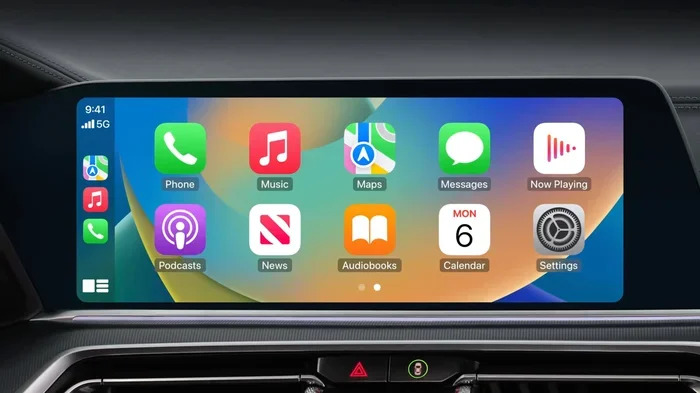
Does CarPlay Use Bluetooth or Wi-Fi for Streaming Music
Apple CarPlay can use both Bluetooth and Wi-Fi to stream music, but the method depends on your car and setup. Wireless CarPlay relies on Wi-Fi for most data transfer, while Bluetooth handles initial pairing and calls. Understanding the difference helps you get the best sound quality from your car’s infotainment system.
Does CarPlay use Bluetooth or Wi-Fi? It is one of the most common questions people ask when they first set up Apple CarPlay in their car. The short answer is that it can use both, but each plays a different role. Wireless CarPlay relies on Wi-Fi to stream music, load maps, and run apps smoothly. Bluetooth steps in for phone calls and initial device pairing. If you plug in a cable, you skip both wireless methods entirely. Understanding how these connections work helps you get the most out of your CarPlay experience every single time.
Many drivers assume CarPlay is just Bluetooth because it connects wirelessly. That is a common misconception. The truth is more nuanced and interesting. Apple designed CarPlay to use the best available connection for each task. This means your music streams faster, your maps load quicker, and your calls stay clear. Let us break down exactly how this works so you can troubleshoot issues and enjoy better sound quality on every drive.
Key Takeaways
- CarPlay uses Wi-Fi for streaming music wirelessly: Wi-Fi handles the bulk of data for music, maps, and apps.
- Bluetooth still plays a role: It manages initial pairing, phone calls, and some basic audio tasks.
- Wired CarPlay uses USB only: No Bluetooth or Wi-Fi is involved when you plug in a cable.
- Wireless CarPlay offers better audio quality: Wi-Fi streaming supports higher bitrates than Bluetooth.
- Setup is simple: You can switch between wired and wireless modes easily in your car settings.
- CarPlay works best with a strong Wi-Fi signal: Weak signals can cause lag or disconnections during music playback.
📑 Table of Contents
- How CarPlay Connects to Your Car
- Bluetooth vs Wi-Fi: The Core Difference
- Which Connection Gives Better Music Quality?
- Setting Up Wireless CarPlay for the First Time
- Common CarPlay Connection Problems and Fixes
- Does CarPlay Use Data? Here Is What You Need to Know
- Expert Tips for the Best CarPlay Music Experience
- Final Thoughts
How CarPlay Connects to Your Car
CarPlay connects to your car in two main ways. You can use a USB cable or go wireless. Each method uses different technology to send audio and data between your iPhone and your car’s infotainment screen.
Wired CarPlay: Simple and Reliable
Wired CarPlay uses a USB cable to connect your iPhone directly to your car. When you plug in, the connection is instant and stable. There is no pairing process. No Wi-Fi setup. No Bluetooth searching. You just plug in and your CarPlay interface appears on the screen.
Wired connections do not use Bluetooth or Wi-Fi at all. The USB cable handles everything. This means no signal interference and no dropped connections. The downside is that you need to keep your phone plugged in, which limits your freedom. Some people also worry about cable wear and tear over time.
Wireless CarPlay: Freedom Without Cables
Wireless CarPlay removes the cable entirely. You pair your iPhone with your car through Bluetooth first. Then the system establishes a Wi-Fi connection for data streaming. This two-step process is important to understand because it explains why CarPlay uses both technologies.
Here is how it works in practice:
- Step 1: Bluetooth handles the initial pairing between your iPhone and your car.
- Step 2: Wi-Fi takes over for streaming music, loading maps, and running apps.
- Step 3: Bluetooth stays active for phone calls and notifications.
This design gives you the best of both worlds. Bluetooth provides a low-energy, stable link for basic communication. Wi-Fi delivers the high-speed data needed for music and navigation. It is a smart setup that Apple has refined over several software updates.
Bluetooth vs Wi-Fi: The Core Difference
To really understand how CarPlay works, you need to know the difference between Bluetooth and Wi-Fi. These two technologies serve different purposes in your car.
What Bluetooth Does in CarPlay
Bluetooth is a short-range wireless technology. It uses very little power and works well for basic audio tasks. In CarPlay, Bluetooth handles three main jobs:
- Initial device pairing: It connects your iPhone to your car for the first time.
- Phone calls: Bluetooth routes your voice and audio during calls.
- Notifications: It sends basic alerts and messages to your car screen.
Bluetooth has limited bandwidth. This means it cannot stream high-quality music very well on its own. The audio quality is good but not great. For music streaming, Bluetooth compresses the audio slightly. This compression can reduce detail, especially with complex songs that have lots of instruments.
What Wi-Fi Does in CarPlay
Wi-Fi is a much faster connection. It can handle large amounts of data very quickly. In CarPlay, Wi-Fi takes care of the heavy lifting:
- Streaming music: Wi-Fi delivers high-quality audio from apps like Spotify, Apple Music, and Pandora.
- Loading maps: Navigation apps need constant data. Wi-Fi keeps maps running smoothly.
- Running apps: Messaging apps, podcasts, and other CarPlay apps rely on Wi-Fi for speed.
Wi-Fi also supports higher audio bitrates. This means better sound quality compared to Bluetooth. When you stream music through wireless CarPlay, Wi-Fi is doing most of the work behind the scenes. Bluetooth simply stays on standby for calls and basic communication.
Which Connection Gives Better Music Quality?
Music quality matters. You want every note to sound clear and full. So which connection delivers better results for streaming music?
Bluetooth Audio Quality
Bluetooth uses a codec called SBC by default. This codec compresses audio to save bandwidth. The result is good but not perfect music. Some newer Bluetooth codecs like AAC and aptX offer better quality, but CarPlay does not always support them. With Bluetooth, you may notice a slight loss in detail, especially in bass and high frequencies.
Wi-Fi Audio Quality
Wi-Fi does not compress audio the same way Bluetooth does. It sends data at much higher speeds. This means your music sounds closer to the original studio recording. Apps like Apple Music and Tidal deliver their highest quality streams over Wi-Fi. If you care about sound quality, wireless CarPlay over Wi-Fi is the clear winner.
Here is a quick comparison:
- Bluetooth streaming: Good quality, slight compression, lower bitrate.
- Wi-Fi streaming: Excellent quality, minimal compression, higher bitrate.
- Wired USB streaming: Best quality, no compression, direct digital connection.
Wired CarPlay still offers the absolute best audio quality because it bypasses both Bluetooth and Wi-Fi entirely. The digital signal travels directly from your phone to your car’s amplifier without any compression. However, wireless CarPlay over Wi-Fi is very close and much more convenient.
Setting Up Wireless CarPlay for the First Time
Setting up wireless CarPlay is easier than most people think. Follow these steps and you will be streaming music in minutes.
- Park your car and make sure your iPhone is nearby.
- Plug in your iPhone using a USB cable the first time you set up wireless CarPlay.
- Go to your car’s infotainment settings and select CarPlay.
- Choose your iPhone from the list of available devices.
- Enable wireless CarPlay in your car settings and on your iPhone.
- Unplug the cable. Your CarPlay should now connect automatically every time you get in the car.
During setup, Bluetooth and Wi-Fi both work together. Bluetooth creates the initial link. Wi-Fi then takes over for all the data-heavy tasks. Once the setup is complete, the process becomes seamless. You barely notice the technology working behind the scenes.
Some cars require a one-time firmware update to support wireless CarPlay. Check with your car manufacturer if you run into any issues during setup. Also, make sure your iPhone is running the latest iOS version. Updates often improve CarPlay connectivity and performance.
Common CarPlay Connection Problems and Fixes
Even with the best setup, CarPlay connection issues can happen. Here are the most common problems and how to fix them.
CarPlay Won’t Connect Wirelessly
If wireless CarPlay does not connect, start with the basics. Toggle Bluetooth off and back on. Do the same for Wi-Fi. Restart your iPhone and try again. Often, a simple restart fixes the issue. If that does not work, forget the car device in your iPhone settings and pair it again from scratch.
Music Keeps Pausing or Buffering
Buffering usually means your Wi-Fi signal is weak. Move closer to your car or check if other devices are using the same network. Some cars create a dedicated Wi-Fi hotspot for CarPlay. Make sure this hotspot is enabled in your car settings. If you are in a crowded area with lots of Wi-Fi interference, the connection may slow down.
Audio Cuts Out During Calls
If your audio cuts out during phone calls, Bluetooth might be the culprit. Bluetooth handles calls in CarPlay, so a weak Bluetooth signal causes dropouts. Make sure nothing is blocking the connection between your phone and your car. Keep your phone within a few feet of the car’s antenna if possible.
It is worth noting that modern cars handle connectivity in complex ways. Just like understanding how a hybrid switches between electric and gas power at different speeds, CarPlay switches between Bluetooth and Wi-Fi depending on the task at hand. Both systems are designed to work together seamlessly, but they each have their strengths.
Does CarPlay Use Data? Here Is What You Need to Know
Yes, CarPlay uses data when you stream music or use navigation apps. The amount of data depends on what you are doing and which connection you are using.
- Music streaming: Uses about 50 to 150 MB per hour depending on the app and quality setting.
- Navigation: Uses about 5 to 10 MB per hour for map data and traffic updates.
- Podcasts: Uses about 30 to 80 MB per hour depending on the audio quality.
Because Wi-Fi handles most of the data transfer in wireless CarPlay, your phone’s cellular data may not be used at all if your car has a Wi-Fi connection to the internet. Some cars use their own built-in Wi-Fi hotspot or tether to your phone’s cellular data. If you are concerned about data usage, connect to a Wi-Fi network before you drive or use offline maps when possible.
Expert Tips for the Best CarPlay Music Experience
Want to get the most out of CarPlay for music? Here are some tips from people who know the system well.
- Use Wi-Fi whenever possible: Wireless CarPlay over Wi-Fi gives you better audio quality than Bluetooth alone.
- Keep your iPhone updated: Apple releases CarPlay improvements with every iOS update.
- Use high-quality audio apps: Apps like Apple Music, Tidal, and Spotify offer better streaming quality than free radio apps.
- Restart your car’s infotainment system: A quick restart can fix many connection issues. Just turn the system off and back on.
- Clear your Bluetooth paired devices: Too many paired devices can slow down the connection process.
- Use a CarPlay wireless adapter: If your car does not support wireless CarPlay natively, an adapter can add the feature.
These simple steps can make a big difference in how your CarPlay experience feels every day. A little maintenance goes a long way toward smooth, uninterrupted music streaming on every drive.
Final Thoughts
So, does CarPlay use Bluetooth or Wi-Fi? The answer is both, but they do different jobs. Bluetooth handles pairing, calls, and basic communication. Wi-Fi handles music streaming, maps, and apps. Together, they create a seamless experience that makes driving more enjoyable and safer.
If you care about audio quality, wireless CarPlay over Wi-Fi is the way to go. It delivers richer sound and faster loading times than Bluetooth alone. And if you want the absolute best quality, a wired USB connection still wins. But for most people, wireless CarPlay over Wi-Fi is the perfect balance of convenience and performance.
Next time you get in your car and CarPlay connects automatically, you will know exactly what is happening behind the scenes. Bluetooth and Wi-Fi are working together to bring you music, maps, and messages without you lifting a finger. It is a clever system that continues to get better with every update Apple releases.
Frequently Asked Questions
Can I use CarPlay with just Bluetooth and no Wi-Fi?
Yes, but with limitations. Wired CarPlay does not need Wi-Fi at all. Wireless CarPlay uses Bluetooth for initial pairing, but Wi-Fi handles the music streaming. If Wi-Fi is not available, your CarPlay experience will be slower and lower quality. Some basic functions like calls and notifications will still work over Bluetooth alone.
Does wireless CarPlay drain my iPhone battery faster?
It can. Wireless CarPlay keeps both Bluetooth and Wi-Fi active, which uses more battery than a wired connection. However, the drain is usually manageable during a typical drive. If you are on a long road trip, consider keeping your phone plugged in to maintain battery levels.
Why does my CarPlay music sound better on Wi-Fi than Bluetooth?
Wi-Fi has much more bandwidth than Bluetooth. This means it can send higher-quality audio without compressing it as much. Bluetooth compresses audio to save space, which reduces detail. Wi-Fi streams the audio at a higher bitrate, resulting in clearer and richer sound.
Do I need an internet connection to use CarPlay?
For most features, yes. Music apps like Apple Music and Spotify need an internet connection to stream songs. Navigation apps need data to load maps and traffic updates. However, you can still play locally stored music and podcasts without an internet connection. Bluetooth can handle these offline tasks.
Can I switch between Bluetooth and Wi-Fi while using CarPlay?
You do not need to switch manually. CarPlay manages the connections automatically. Bluetooth handles calls and pairing while Wi-Fi handles data-heavy tasks like music streaming. If one connection drops, the system tries to maintain the best available connection without interrupting your experience.
Is CarPlay over Wi-Fi the same as using your phone’s hotspot?
Not exactly. CarPlay creates a direct Wi-Fi connection between your phone and your car’s infotainment system. It does not route through your phone’s regular hotspot or cellular data in most cases. The connection is private and dedicated to CarPlay, which keeps it fast and stable.
=== CONCLUSION ===
CarPlay uses both Bluetooth and Wi-Fi to deliver a complete connected experience in your car. Bluetooth handles the basics like pairing and phone calls, while Wi-Fi takes care of the heavy lifting with music streaming and navigation. Understanding this difference helps you troubleshoot issues and get the best sound quality every time you drive. Whether you use a wired USB connection or go wireless, CarPlay is designed to make your drive more enjoyable and your music more accessible. Take a few minutes to set up your system properly, keep your software updated, and enjoy the ride.