How Long Does It Take to Sync a Key Fob to Your Car
Syncing a key fob to your car typically takes between 3 and 30 minutes, depending on your vehicle make and model. This guide walks you through the entire process with clear, simple steps so you can get back on the road quickly. You will learn the exact sync times for popular car brands, common issues that slow things down, and expert tips to make the process smooth and stress-free.
There is nothing more frustrating than standing next to your car, ready to go, only to realize your key fob is not synced. Whether you just bought a replacement remote key fob or replaced the batteries, getting the car key sync right is essential. The good news is that the process is usually quick and straightforward. In this guide, we will walk you through everything you need to know about key fob programming and vehicle synchronization. By the end, you will feel confident handling the sync yourself.
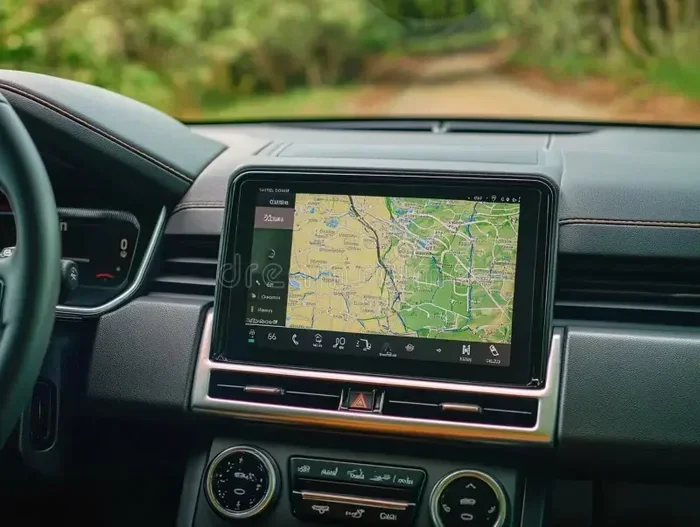
Many car owners assume that syncing a key fob requires a trip to the dealership. That is not always true. Most modern vehicles allow you to complete the process at home in just a few minutes. The exact fob sync time depends on your car brand, model year, and the type of smart key system your vehicle uses. Modern cars come packed with technology, from 7-inch touch screen displays to advanced safety systems, and the key fob is a central part of that connected experience. Let us break it all down so you know exactly what to expect.
Key Takeaways
- Sync Time Varies by Brand: Most cars take 3 to 10 minutes, but luxury brands may take up to 30 minutes.
- You Do Not Need a Dealer: Many key fob syncs can be done at home with basic tools.
- Battery Matters: A weak key fob battery is the most common reason sync fails or takes longer.
- Check Your Owner Manual: Every car brand has slightly different sync steps and timing.
- Push Button Start Models Differ: Vehicles with smart key systems have unique sync procedures.
- Troubleshooting Is Simple: Most sync issues resolve with a battery replacement or reset.
📑 Table of Contents
How Long Does It Take to Sync a Key Fob
The short answer is that most vehicles take between 3 and 10 minutes to complete a key fob sync. However, the range can stretch from as little as 30 seconds to over 30 minutes. The wide variation depends on several factors that we will explore below. Understanding these factors helps you set realistic expectations and avoid frustration.
For everyday sedan and SUV models from brands like Toyota, Honda, and Ford, the process usually falls in the 3 to 7 minute range. Luxury vehicles from BMW, Mercedes-Benz, and Audi sometimes require longer procedures. These cars have more complex car security systems and additional verification steps. But even then, the process is designed to be user-friendly and accessible to the average car owner.
What Affects the Key Fob Sync Duration
Several factors influence how long the sync process takes. Let us look at the most common ones that determine your fob sync time.
- Car Brand and Model: Different manufacturers use different sync protocols. Some are faster than others.
- Key Fob Type: A standard transponder key syncs differently than a smart key or proximity key fob.
- Vehicle Year: Newer models often have streamlined sync processes compared to older vehicles.
- Battery Condition: A low car key battery can slow down or interrupt the sync process entirely.
- Previous Key Pairing: If you are adding a new key to a car with existing paired keys, the process may take longer.
Each of these factors plays a role in determining your key fob sync time. Knowing them ahead of time helps you prepare properly and avoid common pitfalls. Taking a few extra minutes to gather the right tools and information before you start can save you significant time during the actual sync process.
Step-by-Step Guide to Syncing Your Key Fob
While every car brand has its own specific steps, the general process follows a similar pattern. Below is a simplified walkthrough that applies to most vehicles. Always refer to your vehicle owner manual for model-specific instructions before you begin.
What You Need Before You Start
Before you begin the sync process, make sure you have the following ready. Preparation is the key to a fast and successful sync.
- The new key fob or remote key fob you want to sync.
- A working key fob (if your car requires it for verification purposes).
- The car key battery installed correctly in the new fob.
- Your vehicle owner manual for reference during the process.
- A quiet environment with no major electronic interference nearby.
Having everything ready saves time and prevents interruptions during the sync process. It is also a good idea to park your car in a flat, safe location with all doors closed. Keeping your phone and other electronic devices in your pocket reduces signal interference that could disrupt the pairing.
The Basic Sync Process for Most Vehicles
Here is a general outline of the steps involved in key fob programming. Follow these carefully for the best results.
- Enter the vehicle and close all doors securely.
- Turn the ignition to the “On” or “Accessory” position. For push button start vehicles, press the start button without pressing the brake pedal.
- Press and hold the lock or unlock button on the working fob for several seconds.
- Within the time window (usually 5 to 10 seconds), press the same button on the new fob.
- Wait for the confirmation signal, which is usually a flash of the headlights or a chirp from the door locks.
- Repeat the process for any additional fobs you want to pair.
- Turn the ignition off and test the new fob from outside the vehicle.
This basic process works for many vehicles, but always double-check your car manufacturer guide for exact steps. The timing between pressing buttons on the old and new fob is critical. If you miss the window, you may need to start over. Patience and precision are your best friends during car key programming.
Key Fob Sync Times by Car Brand
Different car brands have different sync procedures and timeframes. Here is a general overview of what you can expect when syncing a car key across popular brands.
Comparison Table of Key Fob Sync Times by Brand
| Car Brand | Estimated Sync Time | Sync Method |
|---|---|---|
| Toyota | 3 to 5 minutes | Ignition cycle method |
| Honda | 3 to 7 minutes | Ignition plus button press |
| Ford | 3 to 5 minutes | Door lock button method |
| BMW | 10 to 30 minutes | iDrive menu navigation |
| Chevrolet | 3 to 10 minutes | Ignition plus remote buttons |
| Mercedes-Benz | 10 to 20 minutes | Steering wheel menu |
These times are estimates based on common procedures. Your actual experience may vary depending on your specific model and year. The table above gives you a general idea of what to expect when you sit down to sync your car key. Keep in mind that older models may take longer than newer ones because their vehicle synchronization systems are less refined.
Why Luxury Brands Take Longer to Sync
Luxury vehicles from brands like BMW and Mercedes-Benz often require navigating through the car’s infotainment system to complete the sync. This adds time but also adds a layer of security. The car security system in these vehicles verifies multiple authentication steps before pairing a new remote key fob. It is a trade-off between convenience and protection.
On the other hand, brands like Toyota and Ford keep the process simple. You typically just cycle the ignition and press a few buttons. This makes the key fob sync time much shorter and more accessible for everyday car owners. The difference comes down to how each brand designs its car lock system and the level of security built into the car ignition process.
Common Problems That Delay Key Fob Syncing
Sometimes the sync process does not go as planned. Understanding the most common issues can save you time and frustration. Here are the problems that delay key fob programming the most, along with simple fixes for each.
Dead or Weak Key Fob Battery
The single most common reason for a failed or delayed sync is a weak car key battery. If the new fob does not have enough power, it cannot send a strong enough key fob signal to the car. Always install a fresh battery before attempting to sync. A car key battery replacement takes only a minute and can prevent hours of frustration. Look for the correct battery type for your specific fob model, which is usually listed in your vehicle owner manual.
Interference From Other Electronic Devices
Other electronic devices near your car can interfere with the key fob range and sync process. Cell phones, tablets, and even other key fobs can create signal noise that disrupts the pairing. To get the best results, clear your immediate area of unnecessary electronics before starting the sync. This simple step is often overlooked but can make the difference between a smooth process and a frustrating one.
Incorrect Sync Procedure
Every car brand has a slightly different sync procedure. Following the wrong steps is a common mistake that wastes time. If you are unsure, consult your vehicle owner manual or search for your specific model online. Key fob troubleshooting is much easier when you follow the correct sequence of steps. Do not guess or improvise. Taking the extra few minutes to find the right procedure for your specific car saves time in the long run.
Previous Key Pairing Conflicts
If your car already has multiple paired keys, adding a new one can sometimes cause conflicts. The car lock system may need to be reset first. In some cases, you need to erase all existing key pairings before adding the new one. Check your car manufacturer guide for instructions on how to handle this scenario. Keeping track of how many keys are currently paired helps you understand what to expect during the sync.
Quick Tips for Faster Key Fob Syncing
Want to make the sync process as fast and smooth as possible? Here are some proven tips from experienced car owners and technicians.
- Use a fresh battery: Always start with a new battery in the replacement fob. This ensures a strong key fob signal from the very first attempt.
- Stay close to the car: Stand within a few feet of the vehicle during the sync. The key fob range during programming is shorter than normal operation.
- Follow the exact sequence: Do not skip or rush steps. The timing windows are precise for a reason, and rushing leads to errors.
- Keep other fobs away: Remove all other key fobs from your pockets and the car during the process. This prevents the car lock system from getting confused by multiple signals.
- Read the manual first: Spending five minutes reading your vehicle owner manual can save you 20 minutes of trial and error. Knowledge is your biggest advantage.
These small preparations make a big difference. They help you complete the car key sync on the first try, every time. Many car owners skip the preparation step and then wonder why the sync takes longer than expected. A little upfront effort goes a long way.
Expert Insights on Key Fob Syncing
Automotive technicians who work with key fob systems every day share a few insights that can help you avoid common pitfalls. First, they emphasize the importance of using OEM-quality replacement fobs whenever possible. Aftermarket fobs sometimes have weaker transmitters that struggle to pair with the car’s car security system. Second, they recommend always syncing fobs in pairs or groups rather than one at a time when replacing multiple keys. This ensures all fobs are recognized by the vehicle synchronization system simultaneously.
Third, professionals note that temperature matters. Syncing your fob in extremely cold or hot conditions can affect the battery performance and signal strength. If possible, sync your remote key fob in a moderate temperature environment, such as inside your garage. Finally, technicians stress that if your car has a push button start system, the sync procedure may be different from traditional ignition models. Always verify the exact steps for your specific vehicle before you begin.
Another expert tip is to keep your car clean and well-maintained, both inside and out. Using quality products like 3M car rubbing compound helps preserve your car’s exterior finish, and applying 3M anti-glare film for your windshield can reduce eye strain during night driving. A well-maintained car supports all its electronic systems, including the key fob sync process, by ensuring the battery and electrical systems are in top condition.
When to Seek Professional Help
Most key fob syncs are simple and can be done at home. However, there are situations where professional help is the right choice. Knowing when to call in an expert saves you time and prevents potential damage to your vehicle’s electronics.
If you have tried the sync process multiple times and it keeps failing, it is time to consult a professional. There may be an underlying issue with your car ignition or the vehicle’s car security system that requires specialized diagnostic tools. A locksmith or dealership technician has the equipment to handle complex key fob troubleshooting and can identify problems that are not visible to the average car owner.
Another situation that calls for professional help is when you lose all working key fobs. In this case, you cannot use the standard sync process because there is no working fob to initiate the pairing. A professional can program a new fob using specialized software. This is especially common with luxury vehicles that have advanced smart key systems and require dealer-level tools for initial programming.
Also, if your car has a push button start system and the sync process seems different from what the manual describes, a professional can ensure the job is done correctly without risking damage to the vehicle’s sensitive electronics. Sometimes the transponder key needs to be programmed at a deeper level that goes beyond the standard owner procedure.
Final Thoughts on Key Fob Syncing
Knowing how long it takes to sync a key fob to your car helps you plan your day and avoid unnecessary trips to the dealership. In most cases, the process takes just a few minutes and requires nothing more than a fresh battery and your vehicle owner manual. Even if you own a luxury vehicle with a more complex smart key system, the sync is still manageable at home with the right preparation.
Remember that key fob programming is a skill every car owner should have. It saves time, money, and the hassle of waiting at a service center. With the right preparation and a little patience, you can sync your remote key fob quickly and confidently. Keep your car key battery fresh, follow the correct steps for your specific brand, and do not hesitate to seek professional help if you run into persistent issues.
Your key fob is the link between you and your vehicle, and keeping it properly synced ensures a seamless driving experience every single day. Take a few minutes today to familiarize yourself with your car’s sync process. Being prepared means you will never be stranded by a dead or unpaired fob. Trust us, a little knowledge about car key sync goes a long way toward keeping your daily routine smooth and stress-free.
Frequently Asked Questions
Can I sync a key fob myself without going to a dealer?
Yes, most car manufacturers design their vehicles so that owners can sync a key fob at home. The process usually involves a simple sequence of button presses and ignition steps. Always check your vehicle owner manual for the exact procedure specific to your car model.
Why does my key fob sync keep failing?
The most common reason is a weak or dead battery in the new fob. Other causes include electronic interference, incorrect sync sequence, or conflicts with previously paired keys. Try replacing the battery first, then repeat the sync process following the exact steps in your car manufacturer guide.
How much does it cost to sync a key fob at a dealership?
Dealerships typically charge between 50 and 200 for key fob programming, depending on your car brand and model. However, syncing a replacement fob yourself is free if you already have the fob. The only cost is usually the price of a new car key battery if needed.
Can I sync multiple key fobs at the same time?
No, you should sync each key fob one at a time. The sync process requires the car to recognize and pair with each individual fob. Attempting to sync multiple fobs simultaneously can cause conflicts in the car lock system and extend the total time needed.
Does a key fob need to be within a certain distance during syncing?
Yes, you should keep the new key fob within a few feet of the car during the sync process. The key fob signal is strongest at close range, and the car needs to detect it clearly during programming. Standing too far away is a common mistake that causes sync failures.
How often do I need to re-sync my key fob?
You typically do not need to re-sync your key fob regularly. Once a fob is paired with your vehicle, it stays connected unless you reset the system, replace the fob, or the car battery is disconnected. If you notice the range or responsiveness declining, a car key battery replacement usually solves the problem.